Before You Upgrade a Home Server, Make Sure You Can Still Get Back In
A small network or bootloader mistake during an upgrade can lock you out before the app layer even matters — and a remote box is hard to fix when you can't reach it. A pre-upgrade access preflight.

The scariest server failures aren't in the app layer — they're the ones that make the box unreachable before you even get to the app. A network tweak that drops your management connection, a bootloader that doesn't come back after a kernel update, an LACP bond that renegotiates wrong: any of these can lock you out of a remote home server mid-upgrade, and now you're debugging something you can't reach. The fix is a pre-upgrade preflight focused on one question: if this upgrade goes wrong, can I still get back in?
Why upgrades are the dangerous moment
Upgrades touch the layers below your apps — the kernel, the bootloader, the network stack. Those are exactly the layers that, if broken, take away your ability to fix them remotely. An app crash you can SSH in and fix; a host that won't boot or won't network, you can't. So the preflight isn't about the upgrade succeeding — it's about preserving access if it doesn't.
Preflight 1: a second way in that doesn't depend on the upgrade
Never upgrade a remote box with only one path to it:
- Out-of-band access — IPMI/iKVM, a provider's serial/VNC console, or a separate management NIC — that works even if the OS network is down. This is the single highest-value safeguard, the same lesson as router-in-a-VM out-of-band access.
- If you have no OOB at all, you're gambling that nothing network-or-boot-related breaks. For a remote box, that's a bad bet.
Preflight 2: snapshot/rollback before you start
You should be able to undo the upgrade without physical access:
- A filesystem/VM snapshot (or a Proxmox/PBS backup) taken immediately before, so rollback is "restore," not "rebuild" — the full-host recovery approach.
- For boot-critical changes, know how to select the previous kernel at the bootloader, and confirm the bootloader menu is actually reachable (timeout not zero).
Preflight 3: protect the network path
Network config is where remote upgrades most often self-sabotage:
- LACP/bonding: a bond that renegotiates after an upgrade can drop the link. Know the fallback and avoid changing bond config in the same maintenance as a major upgrade.
- Don't change the management IP/VLAN and upgrade at once — one variable at a time. If you must change networking, do it with OOB access ready.
- Keep firewall rules from locking out your own management port mid-change.
Preflight 4: sequence and verify
- Upgrade during a window where you can physically reach the box if OOB fails.
- After the upgrade, verify network and reachability first, then the boot is clean, then the apps — bottom-up, the same order as OS-EOL migrations.
Pre-upgrade checklist
- Out-of-band access confirmed working before starting.
- Snapshot/backup taken; rollback path known.
- Previous kernel selectable; bootloader menu reachable.
- No simultaneous network (IP/VLAN/LACP) changes with the upgrade.
- Firewall won't lock out the management port.
- Post-upgrade: verify network → boot → apps, in that order.
Takeaway
An upgrade that breaks the network or the bootloader is worse than one that breaks an app, because you can't reach the box to fix it. Before you upgrade a remote home server, guarantee a second way in, take a rollback snapshot, leave networking alone, and verify access first. Make "can I still get back in?" the question you answer before you type the upgrade command.
From across the StoicSoft network
Hand-curated reads on the same topic from sister sites in the StoicSoft family.
 Deploy Handbook9 min read
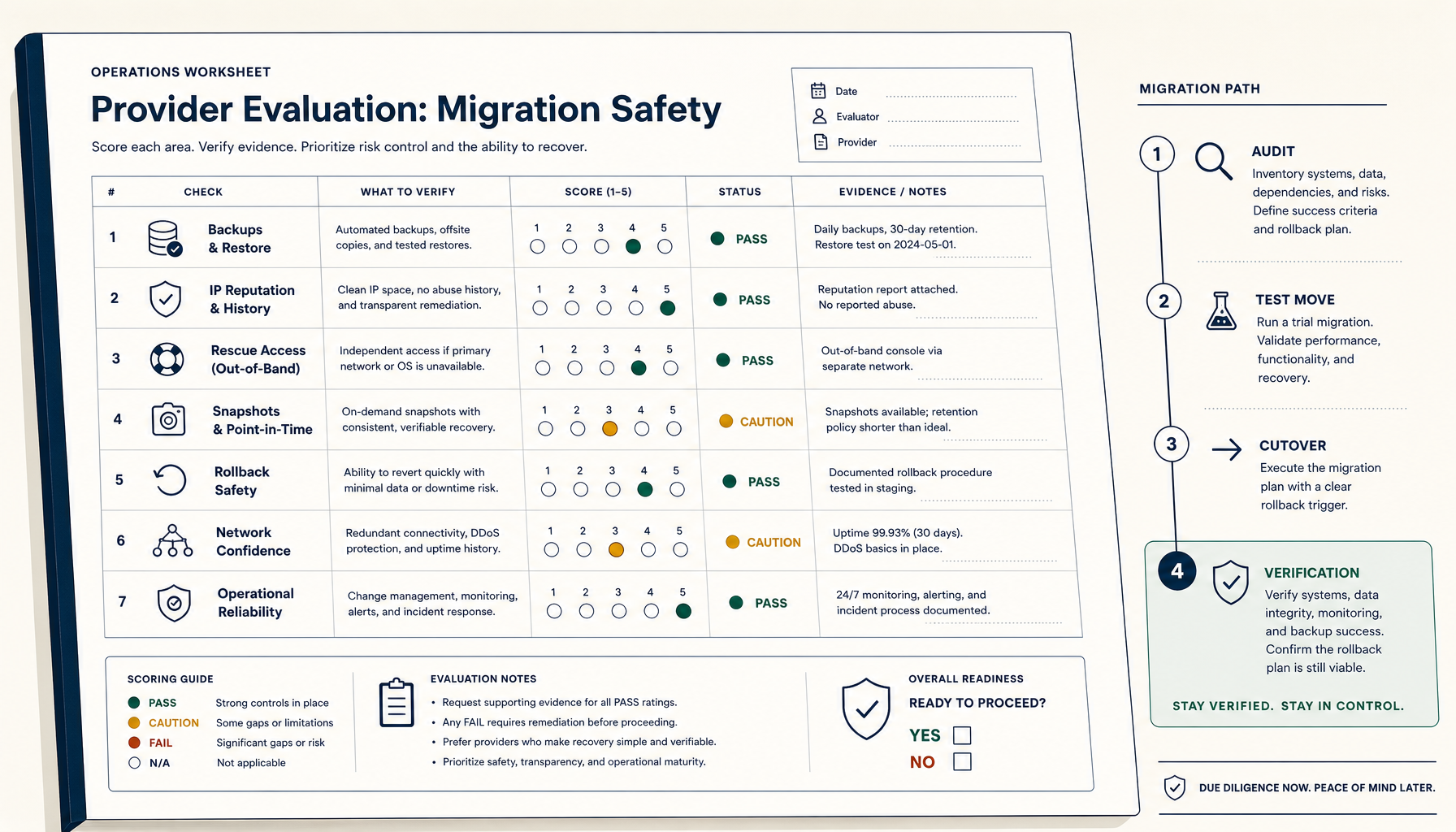
How to Evaluate a VPS Provider for Migration Safety (Not Just Price)
Most VPS migration disasters trace to the workflow, not the destination. The seven verifications and four-phase migration playbook.
Read on stoicvps.com/handbook Deploy Handbook8 min read
Proxmox panels vs lightweight deploy tools — which one do you actually need?
Homelab and VPS users keep conflating infrastructure management with application deployment. Here's how to tell whether you need a full Proxmox-style panel or just a deploy layer with monitoring.
Read on stoicvps.com/handbook