Let's Encrypt Renewed Fine. Your Proxy Still Serves the Old Cert. Here's the Safe Fix.
Certificate renewal is only half the job. If Nginx or Traefik keeps the old cert loaded, you need a safe reload pattern, not a full restart roulette.
A very common self-hosting experience goes like this:
- Certbot says the renewal succeeded.
- OpenSSL shows the new expiry date on disk.
- Your browser still sees the old certificate.
At that point people start doubting everything: DNS, Let us Encrypt, browser cache, Docker volumes, Traefik, Nginx, all of it.
The root problem is usually simpler.
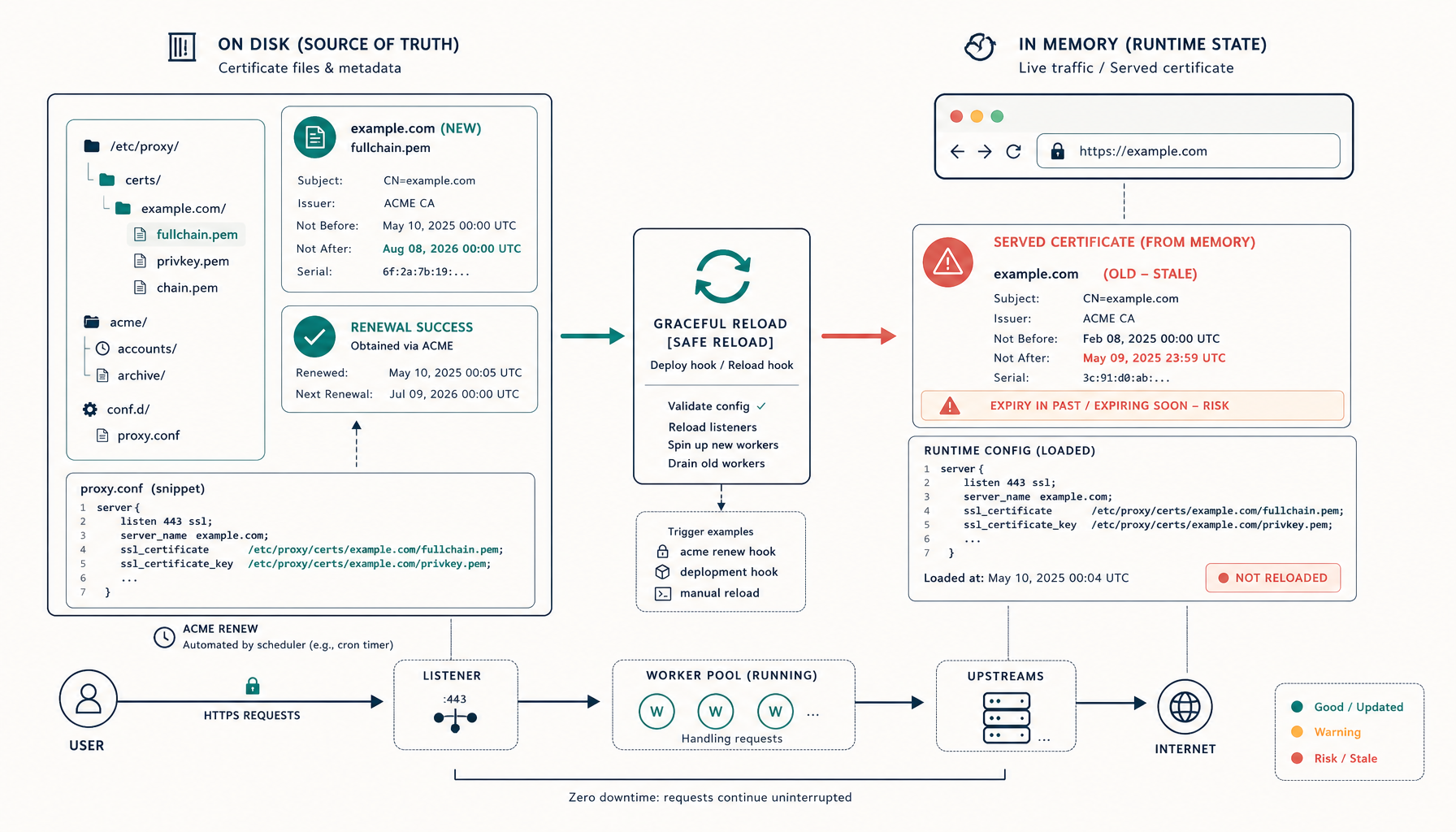
Renewal updated the certificate files, but the reverse proxy did not reload them into the running process.
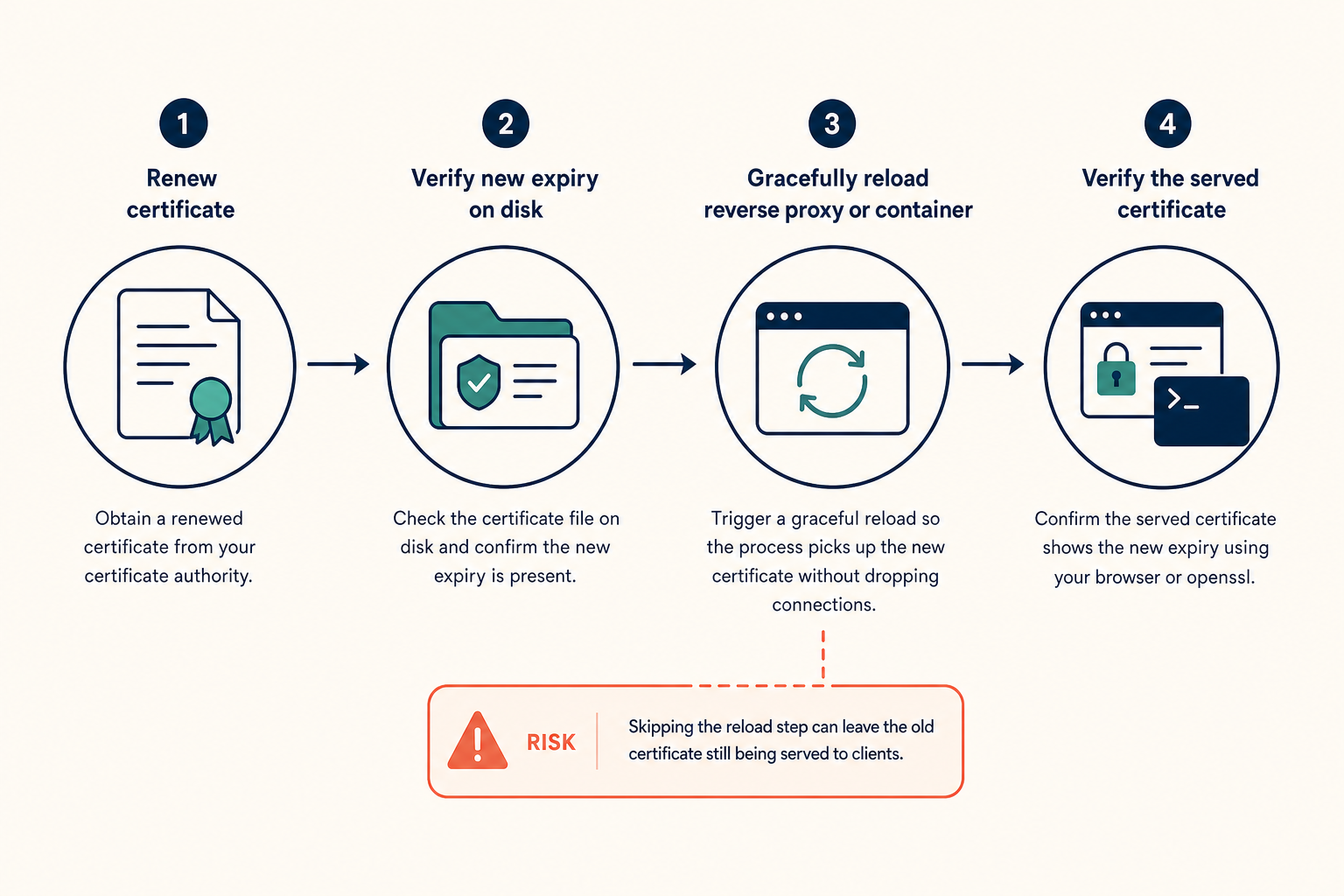
That is why the safe pattern is not just renew the cert. It is renew the cert, then reload the proxy without taking the site down.
Why this happens
Most proxies load certificate material into memory when they start or reload.
That means the certificate on disk and the certificate currently being served can diverge.
Common scenarios:
- Certbot renewed the files successfully, but Nginx never reloaded.
- The proxy runs in Docker and the renewed certs are on the host, but the container did not pick up the change.
- A restart was required, but the operator avoided it because they did not want downtime.
- The reload command exists, but nobody wired it into the renew flow.
If you remember one thing from this whole topic, let it be this:
A renewed certificate is not live until the serving process re-reads it.
The safe reload rule
Prefer reload over restart whenever the proxy supports it.
Why:
- Reload re-reads config and certificate files.
- Existing connections are usually handled gracefully.
- Downtime risk is much lower than a full stop and start.
For Nginx, that means nginx -s reload or systemctl reload nginx. For Traefik and Caddy, behavior differs because certificate management is more integrated, but the principle is the same: verify whether the running process hot-reloads certificate changes or needs a signal or restart.
Pattern 1: Certbot on the host with Nginx on the host
This is the cleanest setup.
Use a deploy hook so the reload runs only after a successful renewal:
sudo certbot renew \
  --deploy-hook "systemctl reload nginx"
If your distro uses the packaged timer or cron, put the hook in a renewal config or script so every automated run behaves the same way.
Before trusting it, test the whole chain safely:
sudo certbot renew --dry-run
sudo nginx -t
sudo systemctl reload nginx
The config test matters. A broken config plus blind reload automation is how people turn certificate maintenance into an outage.
Pattern 2: Certbot on the host, Nginx inside Docker
This is where people get tripped up.
The host updates the files, but the container is the process actually serving TLS. You need two things:
- the cert path mounted into the container,
- a reload command sent to the container after renewal.
Example deploy hook:
#!/usr/bin/env bash
set -e

docker exec nginx-proxy nginx -t
docker exec nginx-proxy nginx -s reload
Then wire it into Certbot:
sudo certbot renew --deploy-hook /usr/local/bin/reload-nginx-container.sh
Key point: test inside the container, because that is the config and file view Nginx is actually using.
Pattern 3: Nginx and Certbot both inside Docker Compose
This setup works, but the automation surface gets wider.
You usually need:
- a shared volume for the certificate path,
- a certbot service or sidecar,
- a post-renew action that reaches the running proxy container.
A simple Compose pattern is:
services:
  nginx:
    image: nginx:alpine
    volumes:
      - letsencrypt:/etc/letsencrypt

  certbot:
    image: certbot/certbot
    volumes:
      - letsencrypt:/etc/letsencrypt

volumes:
  letsencrypt:
The missing part is usually the reload. Renewing in a sidecar does nothing by itself if Nginx keeps the old cert in memory.
Pattern 4: Traefik
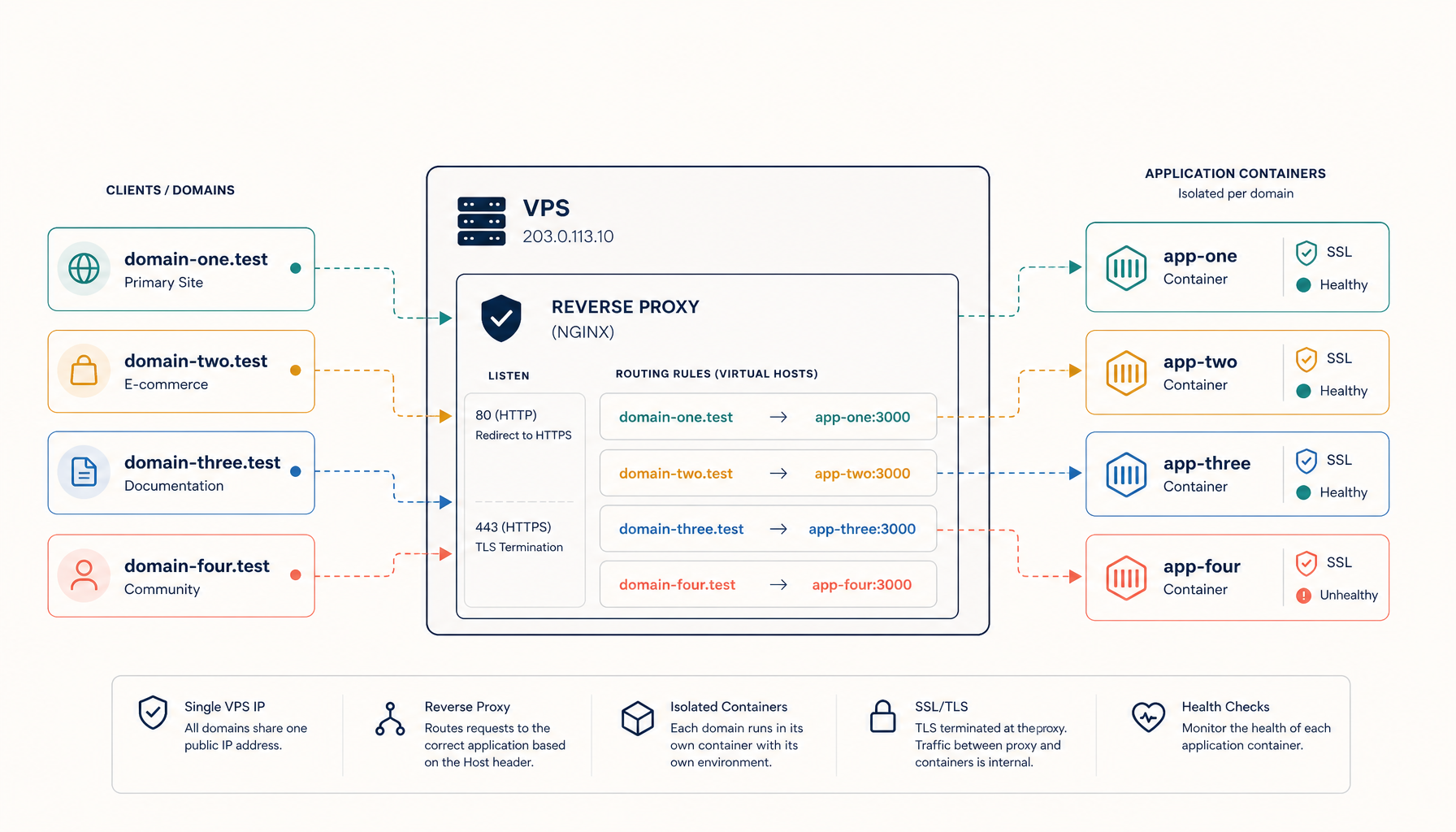
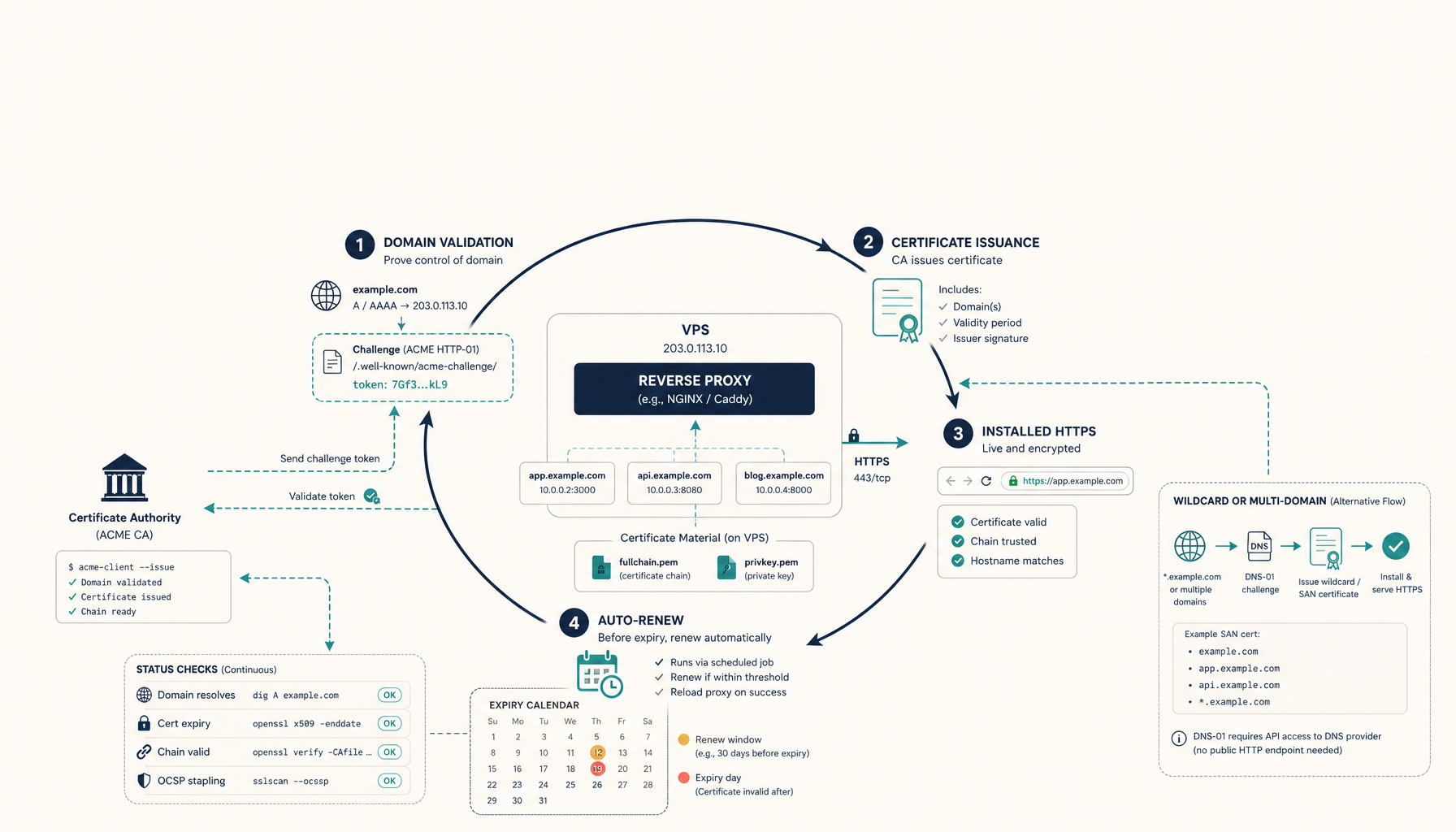
Traefik is different from host-Certbot-plus-Nginx because it often manages Let us Encrypt directly through its ACME integration.
In that mode, Traefik usually handles certificate refresh and serving without an external Certbot hook. That is one reason many self-hosters prefer it.
Where confusion appears:
- the operator mixes external Certbot with Traefik-managed certs,
- the ACME storage is not persisted,
- or the wrong router or service is actually serving the domain.
If Traefik manages ACME itself, do not bolt on a second renewal system unless you have a strong reason. Two certificate managers touching the same domain workflow is an easy way to create opaque failures.
Pattern 5: Caddy
Caddy behaves similarly to Traefik in spirit: certificate management is built into the proxy experience.
That means the usual host-level Certbot hook pattern is often unnecessary. If you are still running Certbot on the side with Caddy, stop and verify whether you are solving the same problem twice.
How to verify the fix correctly
Do not stop at renew command succeeded. Verify the served certificate.
Useful checks:
Check the file on disk
openssl x509 -in /etc/letsencrypt/live/example.com/fullchain.pem -noout -dates
Check what the server is actually serving
echo | openssl s_client -connect example.com:443 -servername example.com 2>/dev/null \
  | openssl x509 -noout -dates -issuer -subject
If these dates differ, your reload path is broken.
Check proxy config before reload
nginx -t
Or inside Docker:
docker exec nginx-proxy nginx -t
Confirm the process saw the new cert
After reload, run the OpenSSL client check again and compare expiry.
That end-to-end check is more reliable than assuming a browser refresh tells the full story.
The failure modes to avoid
Blind full restarts
People often use docker restart or systemctl restart because it is easy to remember. It works, but it is heavier than needed and more likely to interrupt active traffic.
Use reload if your proxy supports it.
Reload without config test
Automating a reload without a config test is risky. A syntax error or bad include path can turn a healthy site into an outage right after renewal.
Renewal without volume sanity
In Docker, make sure the proxy container is reading the same certificate path the renewer is updating. Wrong mounts create the illusion of successful renewal while the live proxy watches a different directory.
Two systems managing one cert lifecycle
Pick one source of truth:
- Certbot plus reload hooks, or
- Traefik or Caddy native ACME.
Mixing both creates debugging pain fast.
A boring automation recipe that works
If you want the low-drama version for Nginx:
- Keep certificate files in one well-known path.
- Add a deploy hook that runs a config test plus reload.
- Test with certbot renew dry-run.
- Verify the served cert with OpenSSL client.
- Monitor expiry so you know if the automation silently stops working.
That is enough for most VPS setups.
Internal links
- Guide: SSL Certificates on VPS
- Guide: Traefik SSL on VPS
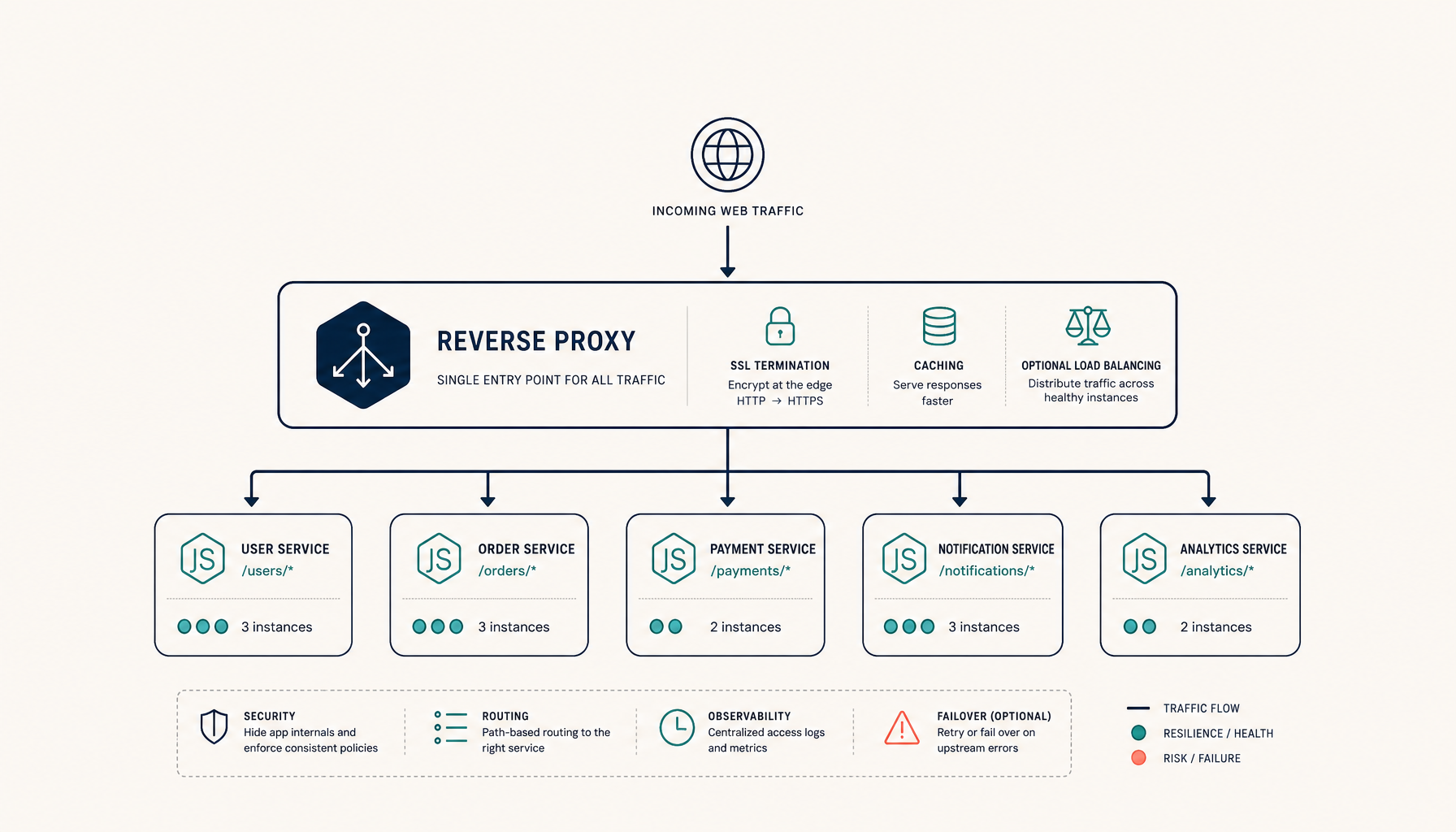
- Guide: Nginx Reverse Proxy for Node.js
- Guide: GitHub Actions Deploy to VPS
- ServerCompass: Automate proxy configuration and repeatable deploys
Closing principle
A certificate file updating on disk is not the finish line. The finish line is the live proxy serving the new certificate without downtime.
Treat renewal and reload as one workflow, prefer graceful reloads to blunt restarts, and verify the served cert rather than trusting the renewal log. That is the difference between it renewed and the site is actually fixed.