Homelab Database Sprawl: The Problem That Arrives After Docker App Sprawl
Every self-hosted app ships its own Postgres or MySQL, and soon you're running eight database containers you can't name. How to consolidate without coupling apps together.
You solved Docker app sprawl — everything's in Compose, everything starts on boot. Then you count the database containers and there are nine: a Postgres for Immich, another for a different app pinned to an older major version, two MariaDBs, a Mongo you forgot about, and a Redis per app. Each one has its own volume, its own backup story (or none), and its own memory footprint. That's database sprawl, and it's the second-order cost of one-Compose-file-per-app.
Why it happens — and why it's not automatically bad
Apps bundle a database so they "just work." That's a feature for getting started and a liability at scale: every engine is a thing to patch, back up, and keep from eating RAM. But the naive fix — "one big shared database for everything" — can be worse, because it couples unrelated apps: now an upgrade for one app's schema requires a database version another app can't run on.
The goal isn't one database. It's fewer, deliberate databases.
When to share an instance
Sharing one Postgres instance with separate databases/roles per app is the sweet spot when:
- The apps tolerate the same major version (check each app's supported range first).
- You want one place to tune memory, one backup job, one monitoring target.
- The apps aren't so critical that you need independent blast radius.
Create a database and a least-privilege role per app on the shared instance. You get consolidation without the apps sharing tables or users.
When to keep them isolated
Keep a dedicated database container when:
- The app pins a specific (often older) engine version that would block others.
- It's your most critical data and you want it to fail and upgrade independently.
- The engine differs (don't try to make one box be Postgres, MySQL, and Mongo — run the engine each app actually needs).
Tame the sprawl you keep
For whatever set you land on:
- Pin and record versions. An app and its database major version are a unit; write it down so an upgrade doesn't surprise you (the same discipline that prevents Compose drift).
- One backup strategy, every engine. Logical dumps on a schedule, shipped off-box, with a tested restore. Snapshots of the volume are a bonus, not the plan.
- Cap memory per engine so a runaway query can't starve the host — same logic as sizing self-hosted AI and search apps.
Deploy databases as first-class apps, not afterthoughts
Treating the database as a managed app — with its own template, volume, and version — beats letting it ride along invisibly inside another app's Compose file.
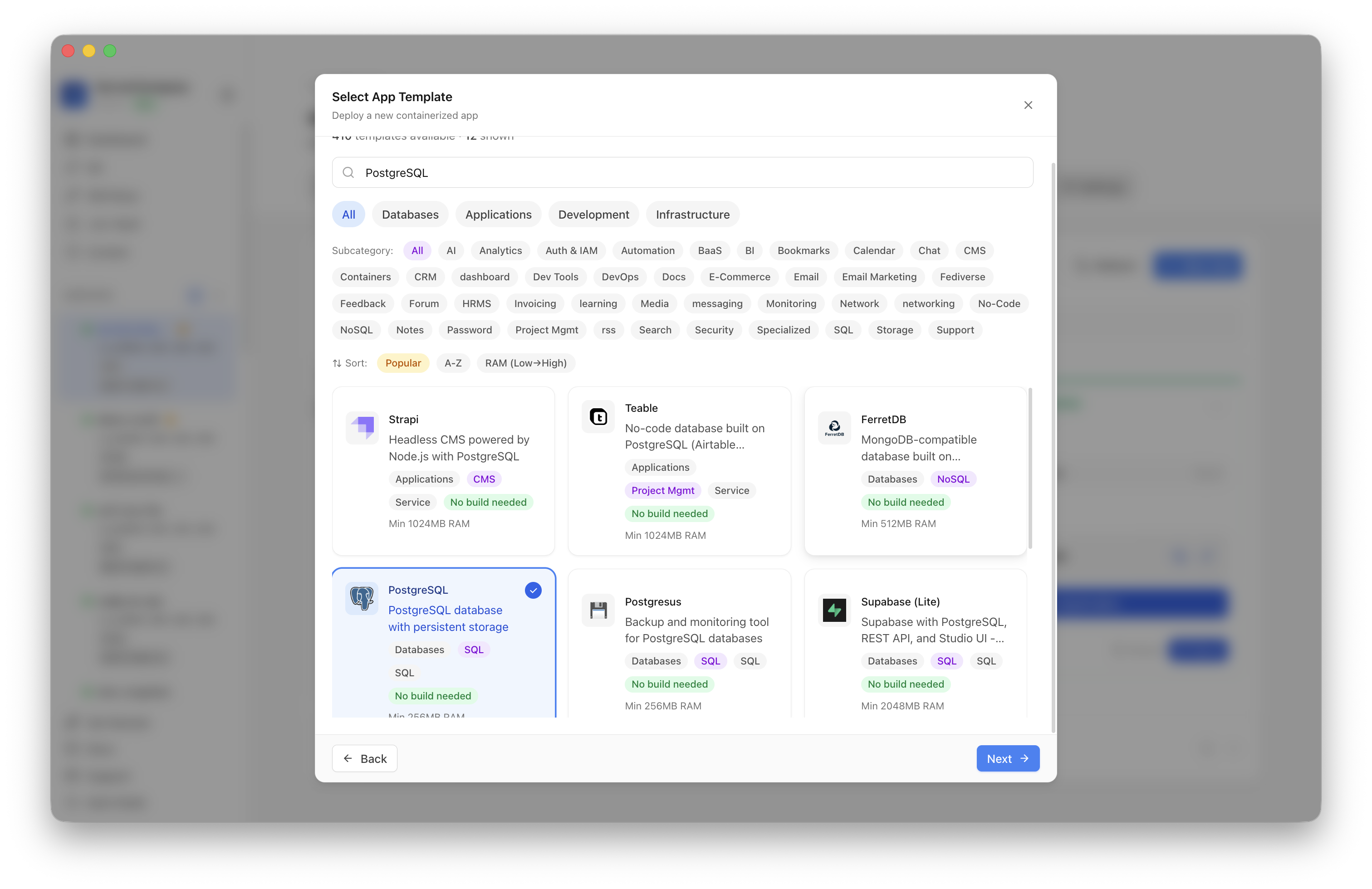 Standing up a shared PostgreSQL as its own managed service in ServerCompass — explicit version, volume, and backup target instead of a database buried inside an app stack.
See every engine in one place
The reason sprawl hurts is that it's invisible until something breaks. A single view of which databases exist, their versions, disk, and backup status turns "I think nine?" into a list you can act on — pair it with one dashboard for app health.
Takeaway
Database sprawl is the predictable sequel to app sprawl. Don't collapse to one shared everything, and don't keep nine. Share a single well-tuned instance where versions align, isolate the few that genuinely need it, and give the whole set one backup story you've actually tested.
From across the StoicSoft network
Hand-curated reads on the same topic from sister sites in the StoicSoft family.
 Deploy Handbook8 min read
Best single-dashboard app health for self-hosters who aren't ready for Prometheus
Homelab and VPS users want one calm dashboard for app health — not a full observability stack. Here are the tools that hit the middle layer between SSH and Grafana.
Read on stoicvps.com/handbook Deploy Handbook7 min read
Lighter Than Kubernetes: Compose vs Podman vs K8s for a Single-Node Homelab
You want more structure than loose docker run commands but suspect Kubernetes is overkill for one Proxmox box. A practical comparison of Compose, rootless Podman, Podman Kube, and lightweight K8s.
Read on stoicvps.com/handbook