Why Docker CORS Errors Keep Coming Back: The Proxy Network Drift Problem
Recurring CORS errors in your Docker stack? They usually trace to Docker network attachment, not your CORS headers. Here's how to fix it permanently.
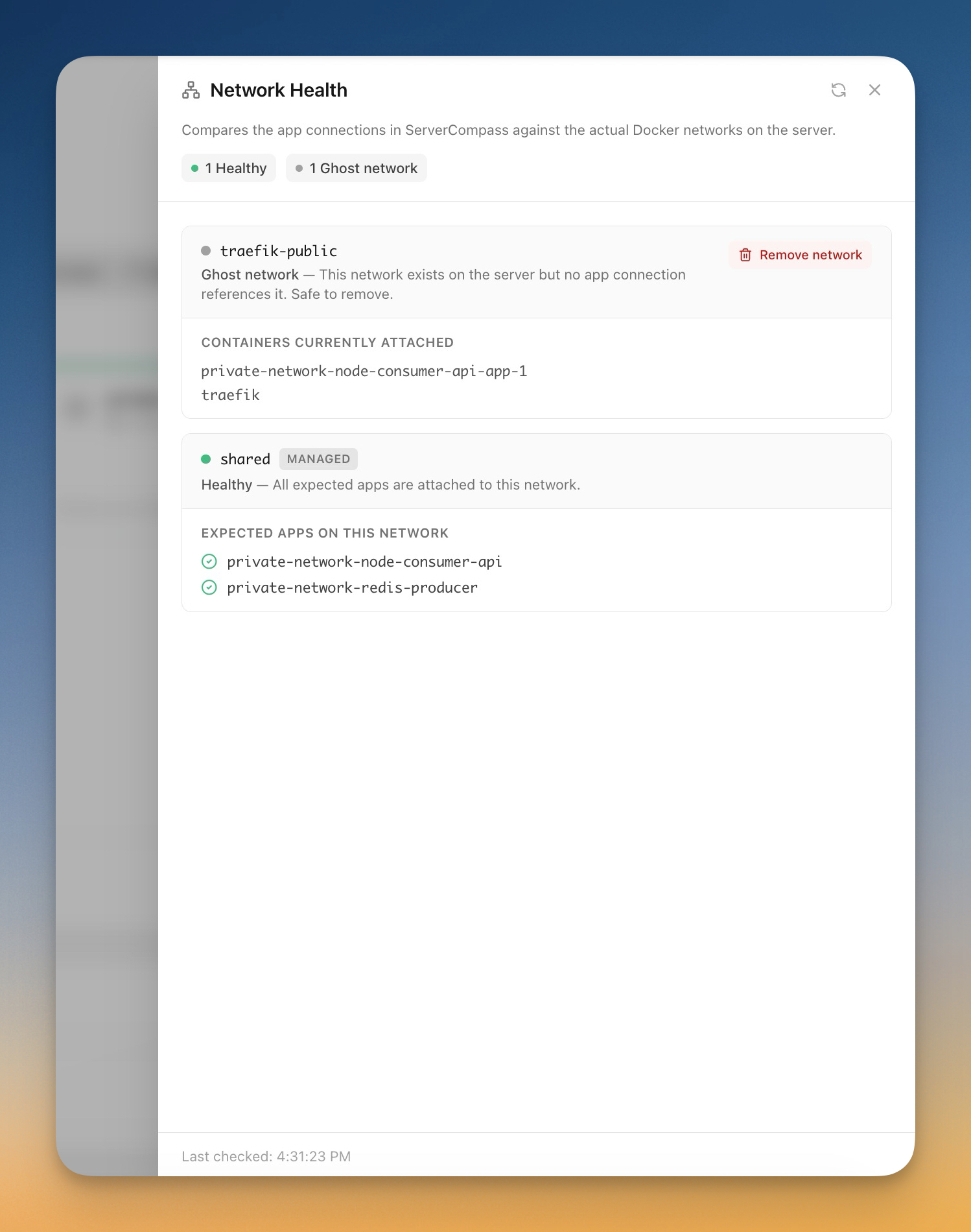
CORS errors that come back a week after you "fixed" them are rarely a CORS problem. Nine times out of ten, the actual culprit is Docker network attachment — your reverse proxy is talking to a different network than your backend, and the connection silently re-routes through paths that mangle headers or fail entirely.
This post walks through how proxy-network drift happens, how to recognise it, and how to make your stack immune to it.
The symptom
You see one of these in the browser console:
Access to fetch at 'https://api.example.com/users' from origin 'https://app.example.com'
has been blocked by CORS policy: No 'Access-Control-Allow-Origin' header is present
on the requested resource.
You add the right CORS middleware. You check the preflight. Everything works in curl. Two days later it breaks again. Or it works on staging and fails on production. Or it fails only after a docker compose up.
If that pattern sounds familiar, the headers aren't the problem. The network is.
Why network drift causes phantom CORS errors
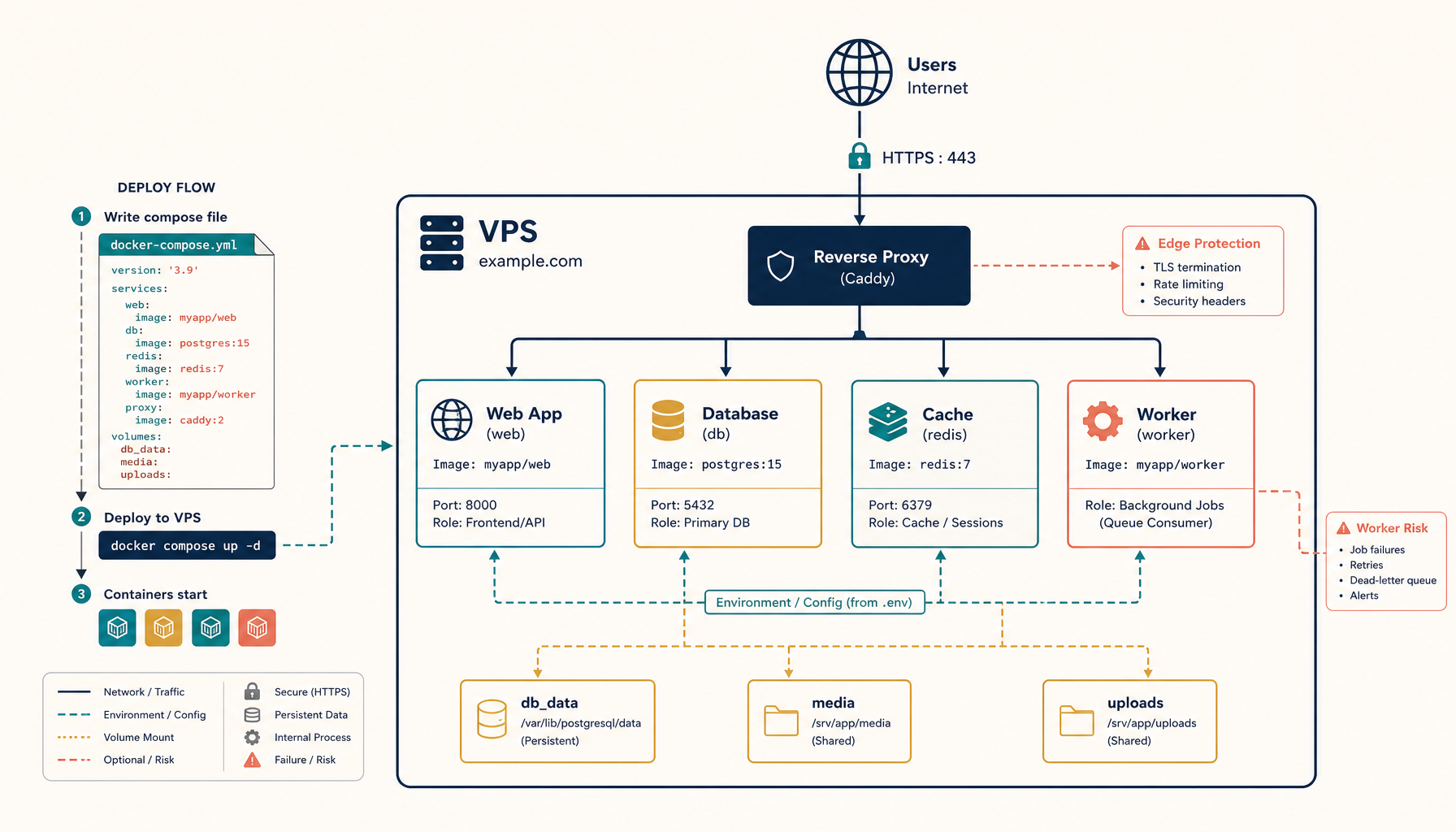
When Docker Compose creates a network, it does so per project. If your traefik service is in one project and your backend service is in another (a common pattern when each app has its own compose file), the proxy needs to be explicitly attached to every backend's network — otherwise the request hits the proxy, the proxy can't reach the backend container, and you get a 502 or a redirect that the browser interprets as a CORS failure.
The trickier case: when you redeploy a backend, Docker may rebuild the network with a new gateway IP. If Traefik is using the network by name (good) it reconnects automatically. But if it's using the network by ID (or attached at start time without external: true), the proxy is now on a stale network and routes traffic to the previous container — which no longer exists. The browser sees the failed request as a CORS issue because no headers come back at all.
How to confirm it
From the host, exec into the proxy container and try to reach the backend:
docker compose exec traefik wget -qO- http://backend:8080/health
If that hangs or returns "bad address," the network attachment is wrong. CORS headers can't help you — the request never reaches your app.
Cross-check by listing networks:
docker network ls
docker network inspect traefik-public
Look at the Containers block. Every service that needs to be reachable through the proxy must be listed there.
The permanent fix
Move to a single, externally-declared shared network and reference it everywhere.
Step 1: Create the network once, outside any compose file
docker network create traefik-public
This network now exists independently of any project. Compose won't recreate it, rename it, or change its ID.
Step 2: Reference it as external in every compose file
In docker-compose.yml for the proxy:
services:
  traefik:
    image: traefik:v3.0
    networks:
      - traefik-public
    # ... rest of config

networks:
  traefik-public:
    external: true
In docker-compose.yml for each backend:
services:
  backend:
    image: my-backend:latest
    networks:
      - traefik-public
      - default
    labels:
      - traefik.enable=true
      - traefik.http.routers.backend.rule=Host(`api.example.com`)
      - traefik.http.services.backend.loadbalancer.server.port=8080

networks:
  traefik-public:
    external: true
  default:
The backend stays on its own default network for service-to-service traffic, but is also reachable through traefik-public.
Step 3: Verify before declaring victory
docker network inspect traefik-public --format '{{range .Containers}}{{.Name}} {{end}}'
Both traefik and backend should appear. If a service is missing, your compose file isn't actually attaching it.
Common gotchas
Forgetting external: true. Without it, Compose treats the network as project-scoped and creates a fresh one with a project prefix. Your services end up on myproject_traefik-public instead of traefik-public, and the proxy can't see them.
Using network_mode: host for one service. Host networking bypasses Docker's network entirely, so labels and discovery break silently.
Recreating the proxy without re-attaching backends. If Traefik rebuilds and the backend network was created with --internal, the proxy may not be allowed to attach. Watch docker compose logs traefik for "network not found" warnings.
Misconfigured loadbalancer.server.port. Traefik routes to the wrong port → empty response → browser reports CORS. Double-check the port matches what the container actually listens on (not what you mapped to the host).
When it really is CORS
After ruling out networking, then check headers. The minimum you need on the backend response:
Access-Control-Allow-Origin: https://app.example.com
Access-Control-Allow-Methods: GET, POST, PUT, DELETE, OPTIONS
Access-Control-Allow-Headers: Content-Type, Authorization
Access-Control-Allow-Credentials: true
For preflight (OPTIONS) requests, the backend must return 200 or 204 with these headers — not delegate to the proxy. If you're using Traefik to inject CORS headers, make sure the middleware is attached to the router and not the service:
labels:
  - traefik.http.middlewares.cors.headers.accesscontrolalloworiginlist=https://app.example.com
  - traefik.http.middlewares.cors.headers.accesscontrolallowmethods=GET,POST,PUT,DELETE,OPTIONS
  - traefik.http.middlewares.cors.headers.accesscontrolallowheaders=Content-Type,Authorization
  - traefik.http.middlewares.cors.headers.accesscontrolallowcredentials=true
  - traefik.http.routers.backend.middlewares=cors
But again — if the network is wrong, no amount of header tuning will help. Fix the network first.
Internal links
- Tutorial: Set up Traefik with SSL on a VPS
- Tutorial: Deploy Docker Compose to VPS
- Guide: Multiple Domains on One VPS
- ServerCompass: Pre-configured Traefik + Docker stacks
Related in the StoicSoft network
If you work in AI-assisted coding, shared terminal sessions, or agent-driven shell workflows like the ones above, 1devtool is the StoicSoft network's tool for safer AI-assisted terminal work — shared sessions with auditing, preflight policy, and tiered model routing built in.