Self-hosted cron and backup jobs need dead-man monitoring before silent failures become data loss
Scheduled jobs that stop running silently are more dangerous than services that crash loudly. Here is how to build dead-man monitoring for your cron jobs, backups, and maintenance tasks before a missed run turns into actual data loss.

Scheduled jobs that stop running silently are more dangerous than services that crash loudly — a crashed service generates an alert, but a cron job that quietly stops produces nothing until you notice the consequences.
The silent failure problem
A recurring pattern in self-hosted and homelab communities is operators discovering their backup, sync, or maintenance jobs stopped working weeks ago. Not because the server went down — the uptime page was green the whole time. The job just stopped producing output, or the binary it called changed behavior after a system update, or a filesystem ran out of space partway through and the script exited non-zero with no one listening.
An uptime page tells you whether a port is answering. It tells you nothing about whether your nightly Postgres dump completed, whether your offsite rsync transferred any data, or whether your database import script actually inserted rows. Those are fundamentally different questions, and they require a different monitoring primitive: dead-man switches.
A dead-man switch works in reverse from a health check. Instead of your monitor poking a service and waiting for a response, the job itself checks in with a monitoring endpoint after each successful run. If the check-in does not arrive within the expected window, the monitor fires an alert. The job proves it ran; silence proves it did not.
What needs dead-man coverage
If you are running any of the following, they belong on a dead-man monitor:
- Database backups — nightly
pg_dump,mysqldump, or equivalent. These are the highest-stakes jobs on any server. A missed backup discovered after a disk failure is catastrophic. - Offsite sync scripts —
rsync,rclone, orresticjobs pushing data to a remote location. The job completing locally is not the same as the data reaching the destination. - Scheduled imports and exports — ETL jobs, feed ingestion, report generation. When these silently stop, downstream consumers get stale data with no indication anything is wrong.
- Maintenance tasks — log rotation, temp directory cleanup, certificate renewal.
certbot renewfailing silently means you discover the problem when the certificate expires and your site goes HTTPS-broken for users. - Container health checks — a container can report running while the application inside is wedged. Scheduled health probes that check actual application behavior are worth treating as jobs with expected completion windows.
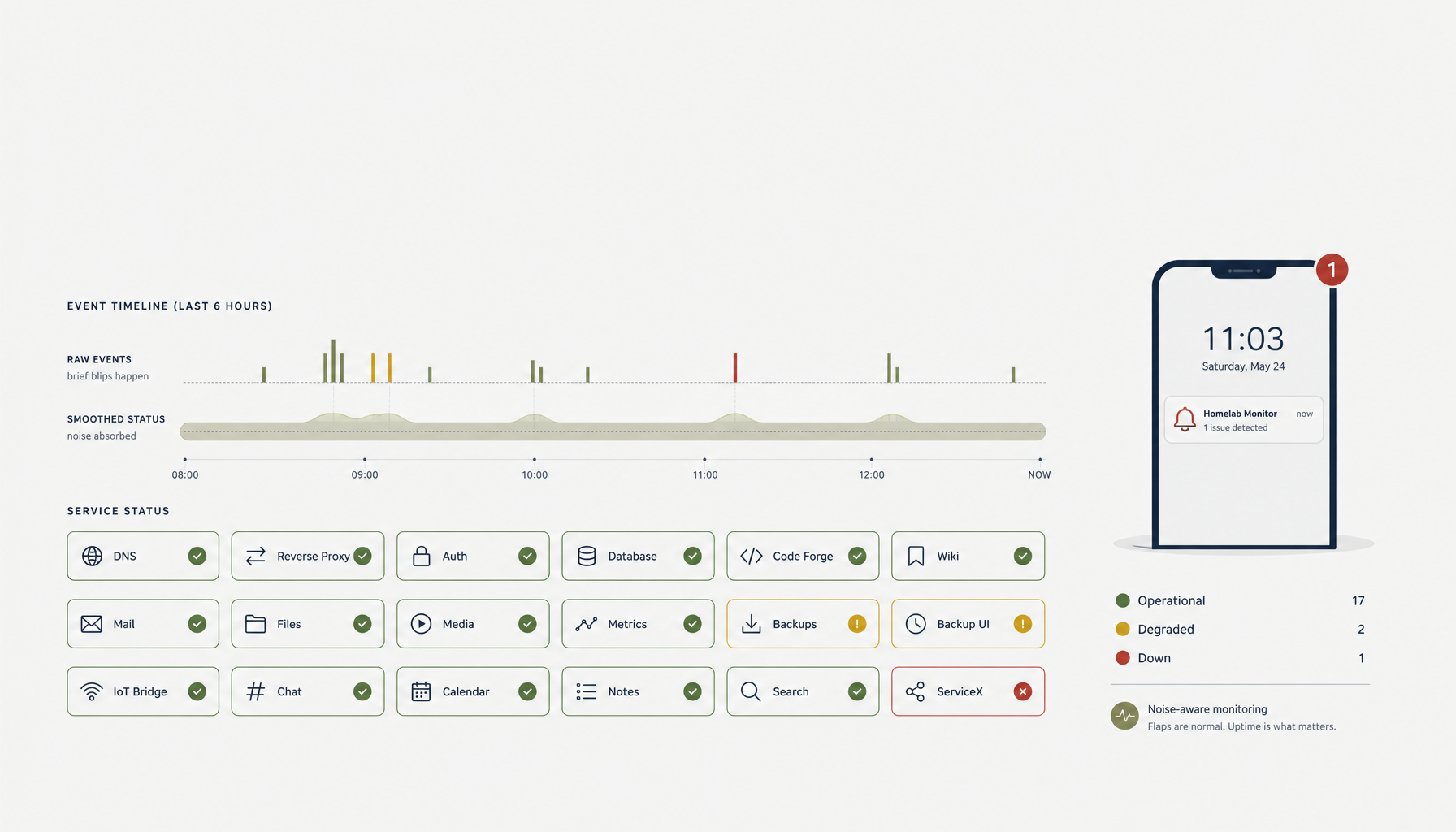
A homelab showcase in the selfhosted community illustrated the full picture well: asset health, SSL and domain expiry tracking, container status timelines, and recovery visibility all in one place. The point was not vanity — it was that each of those dimensions can fail independently, and you need coverage for all of them.
Building the monitoring layer
The practical stack for most self-hosted operators:
Uptime Kuma with push monitors is the most common free option. Create a monitor of type "Push" and Kuma gives you a URL. Add a curl call to that URL at the end of your cron script. If Kuma does not see a hit within the configured heartbeat interval, it alerts. The setup for a backup job looks like:
#!/bin/bash
set -e
pg_dump mydb | gzip > /backups/mydb-$(date +%Y%m%d).sql.gz
curl -fsS --retry 3 "https://uptime.example.com/api/push/YOUR_MONITOR_KEY?status=up&msg=OK" > /dev/null
The set -e is important. Without it, a failed dump might still reach the curl line and report success. With it, any non-zero exit aborts the script and the check-in never happens — which is exactly the behavior you want.
Failure context matters as much as the alert. Knowing a job did not check in is useful. Knowing why requires logging. Redirect both stdout and stderr to a log file, and include the log location in your alert message or dashboard. A mobile-first homelab NOC that operators actually use during an incident needs more than a red dot — it needs the last known error context.
Keep at least one monitor off the server being monitored. A homelab setup worth emulating runs its status page on an external VPS specifically so the status page survives local downtime. If your Uptime Kuma instance is on the same host as the jobs it monitors, a host failure takes down both the jobs and the monitoring simultaneously. You learn about the outage when someone else tells you, not from your own alerts.
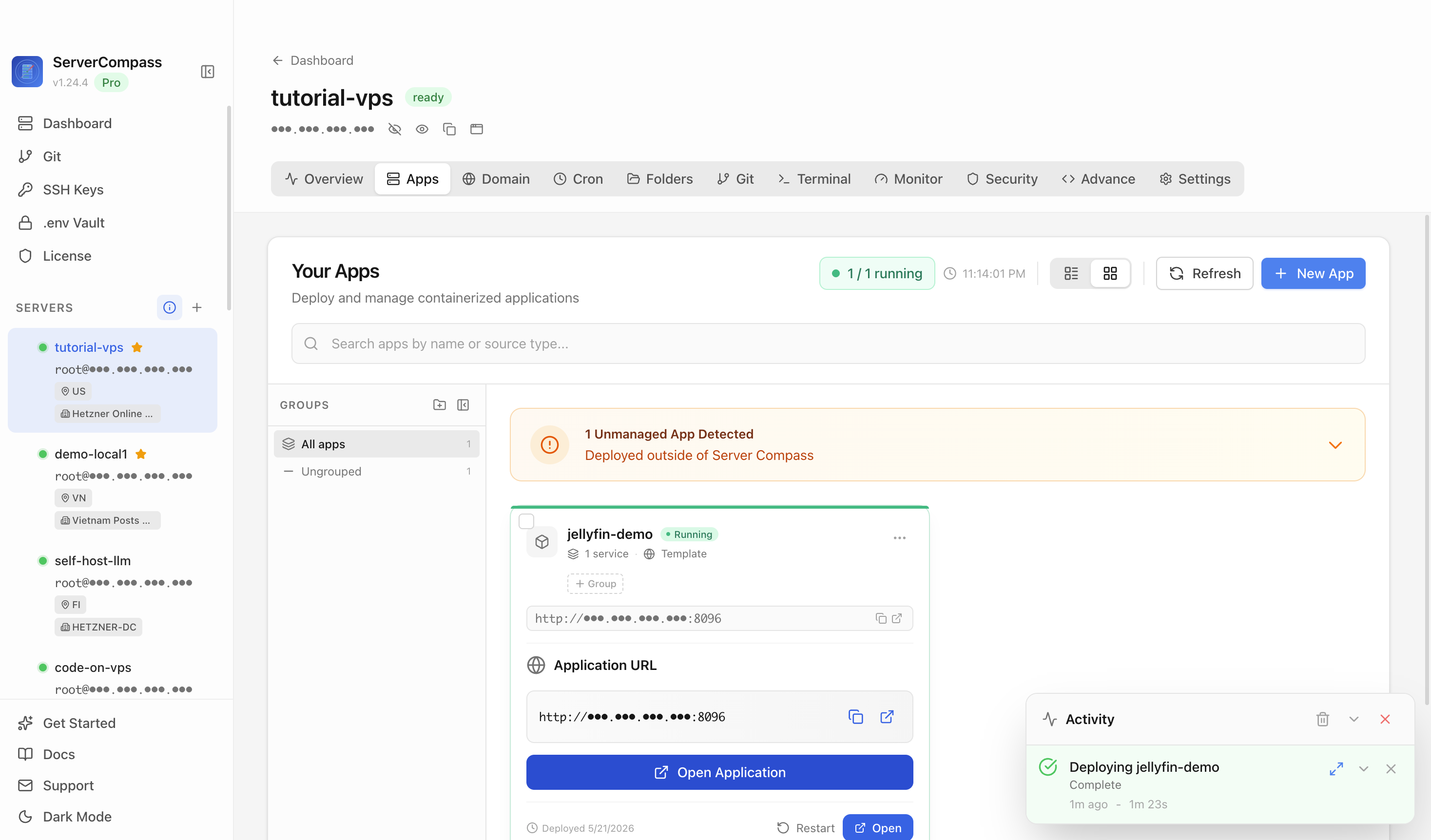
ServerCompass gives you a dashboard view across your running services, so you can see at a glance which processes are active and correlate job failures against service state — useful when a backup fails because the database service it depends on was restarting at the wrong moment.
Failure recovery workflow
Monitoring is only useful if the alert leads to action. Define the recovery path before you need it:
- Alert fires — job did not check in within the window.
- Check logs — what did the last run output? What exit code?
- Check dependencies — is the database up? Is the target mount point mounted? Is there disk space?
- Re-run manually — fix the underlying issue, run the job by hand, confirm it completes and the check-in fires.
- Review the schedule — if the job runs as root crontab but the environment differs from your shell, that is a common source of silent failures. Always test cron jobs with
run-parts --testor by temporarily adding verbose logging.
For offsite jobs specifically, verify the data reached the destination — not just that the script exited zero. A successful rclone invocation with zero bytes transferred is still a failure in any meaningful sense.
Checklist
- Add a dead-man push monitor (Uptime Kuma or equivalent) for every cron-based backup, sync, and maintenance job
- Use
set -ein all shell scripts so partial failures abort the script before the check-in curl call - Log stdout and stderr for every scheduled job to a file with a date-stamped name
- Run at least one monitoring instance on a host that is independent of the servers it monitors
- Verify offsite sync jobs by checking the destination, not just the exit code
- Track SSL and domain expiry separately from service uptime — both can fail independently
- Define a written recovery runbook for each critical job before you need it under pressure
- Test cron jobs explicitly in a clean environment to catch PATH and environment variable differences from interactive shell sessions