How to Deploy Next.js to a VPS (Docker + HTTPS)
A repeatable Next.js VPS deploy: Docker image, reverse proxy, HTTPS, and a clean update workflow you can reuse for every app.
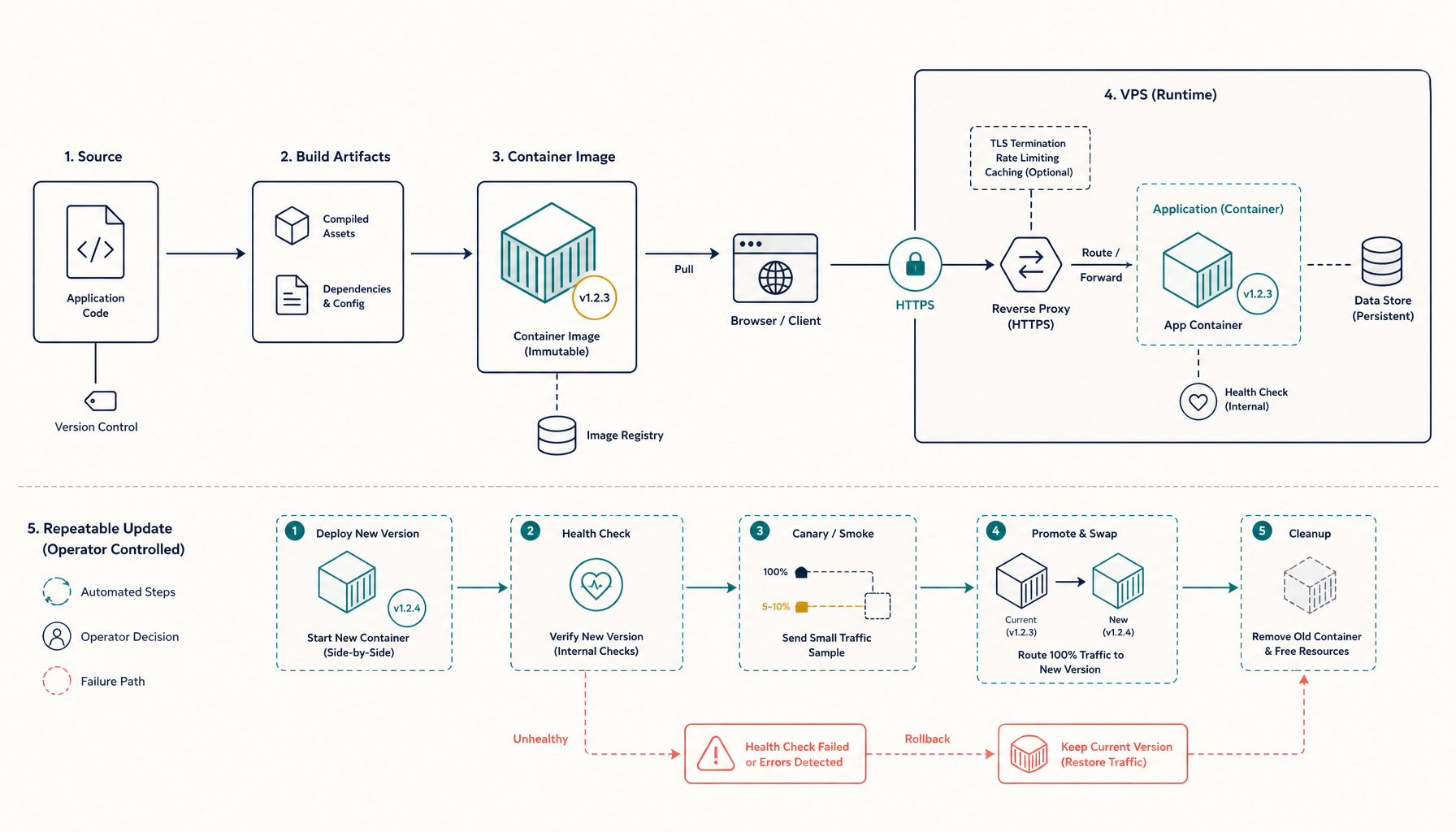
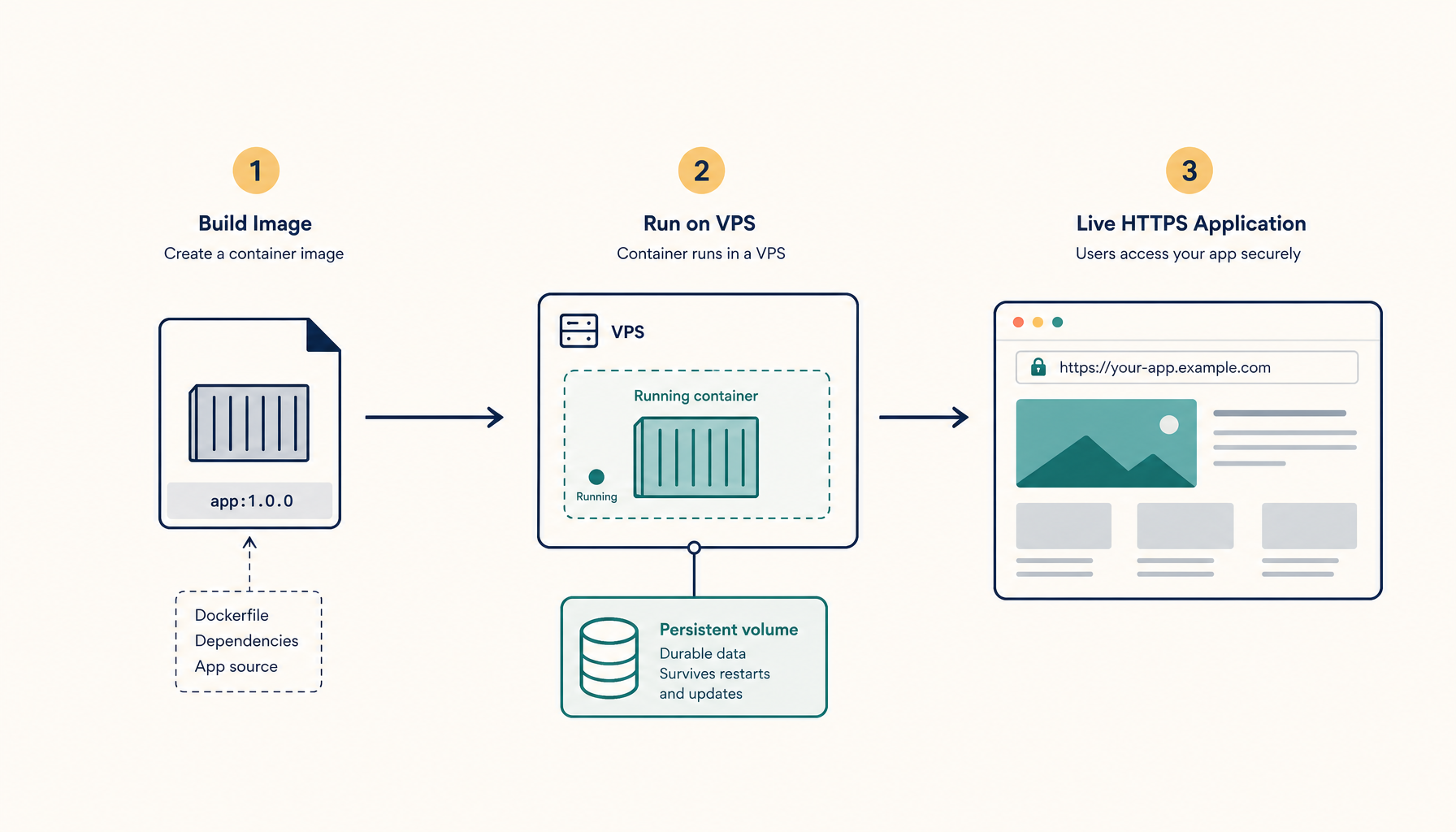
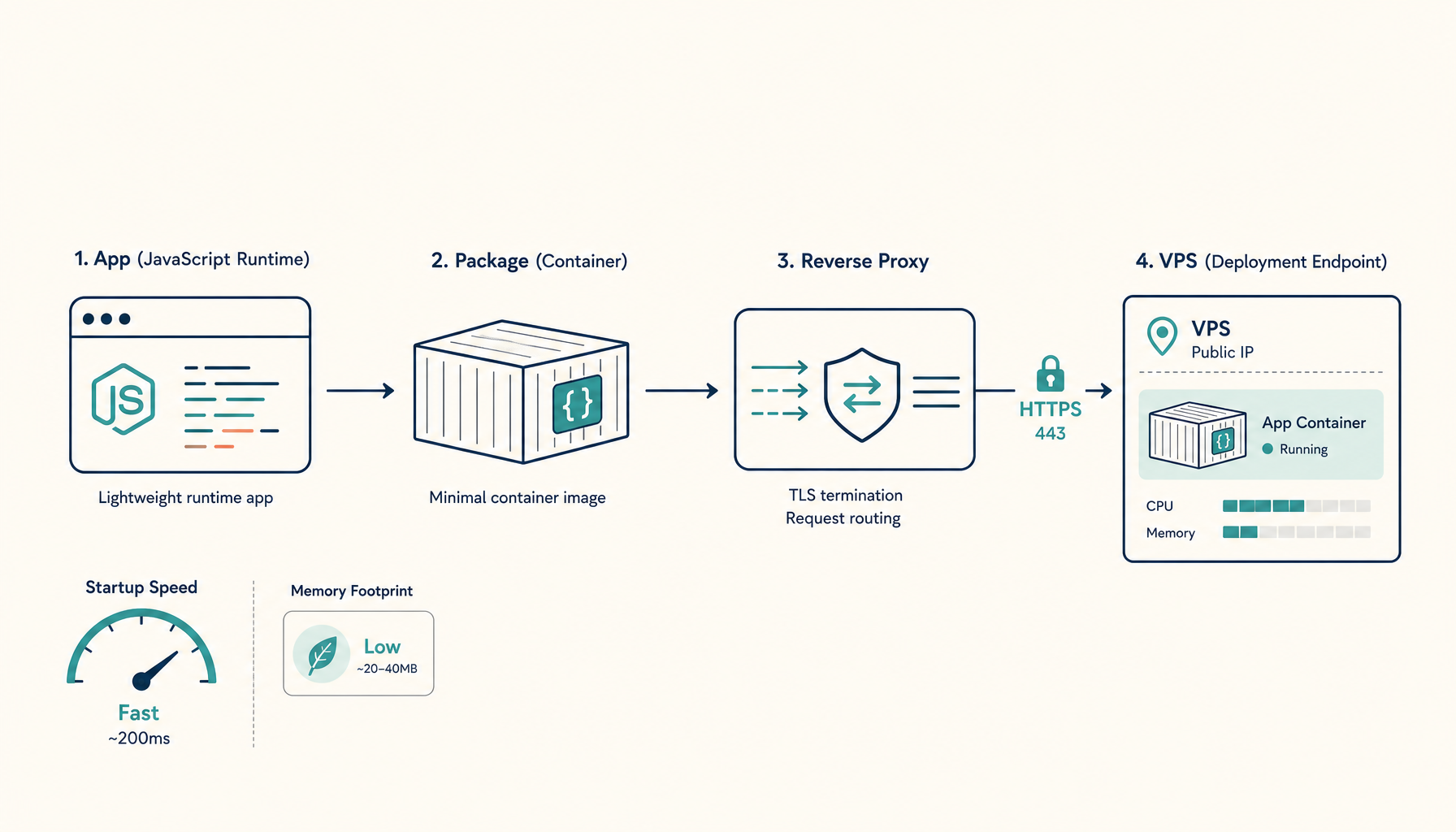
You are going to deploy Next.js to a VPS in a way that is boring and repeatable:
- containerized build
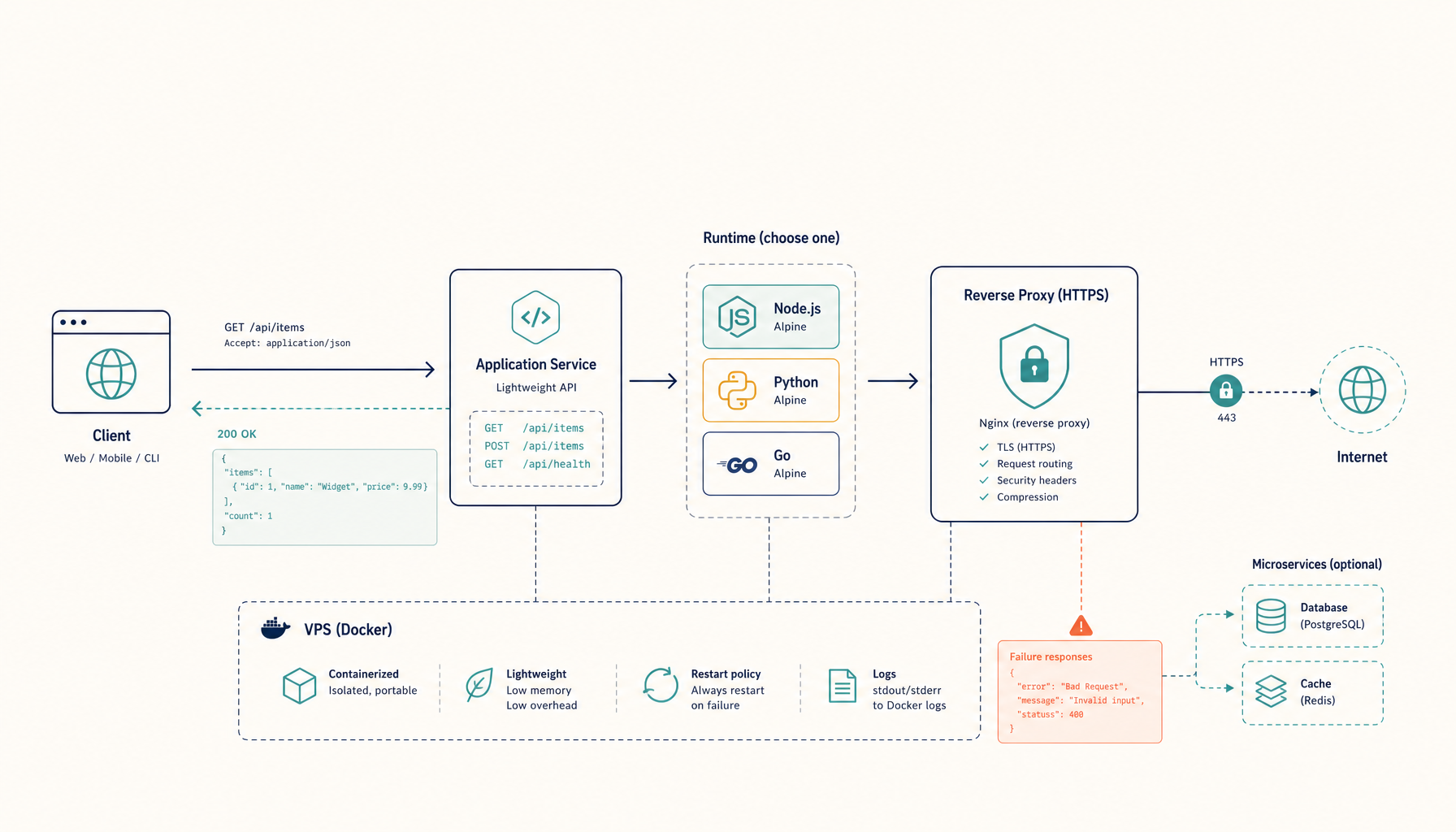
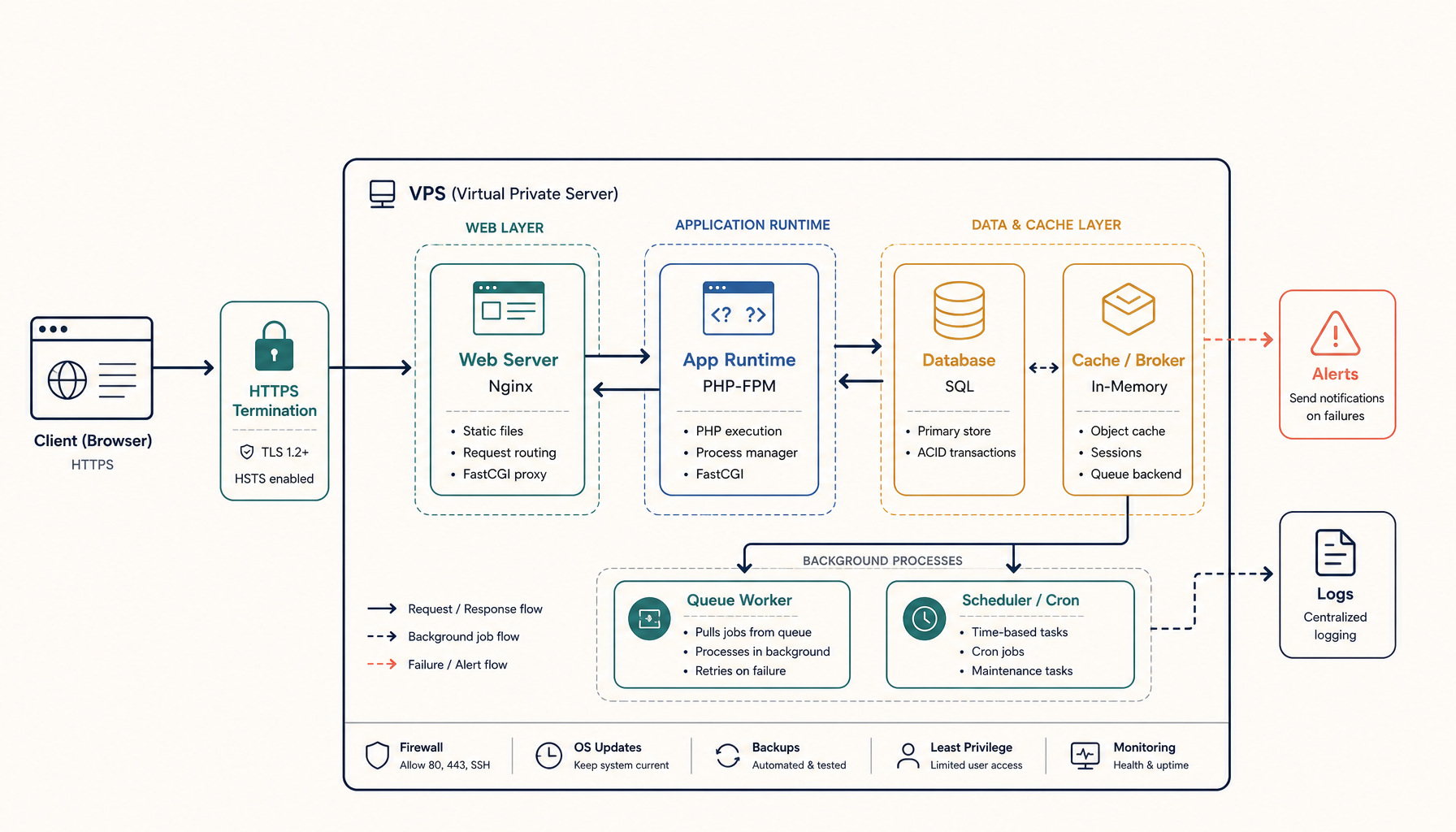
- reverse proxy in front
- HTTPS on your domain
- a deploy workflow you can run again in 2 minutes next time
If you want "deploy now and worry later", use a PaaS. If you want to pay VPS pricing and still ship fast, this is the path.
What you will have at the end
https://your-domain.comserving your Next.js appdocker compose up -das your deployment primitive- a reverse proxy that can host multiple apps later
Step 1: Update the server and install Docker
On the VPS:
sudo apt update && sudo apt upgrade -y
Install Docker:
curl -fsSL https://get.docker.com | sh
sudo usermod -aG docker $USER
newgrp docker
Install the Compose plugin (Ubuntu usually has it, but confirm):
docker compose version
Step 2: Create the app directory
mkdir -p ~/apps/nextjs-web
cd ~/apps/nextjs-web
You want each app isolated in its own directory. That makes backups, debugging, and migrations obvious.
Step 3: Add a production Dockerfile (simple and stable)
Create Dockerfile:
FROM node:20-alpine AS deps
WORKDIR /app
COPY package.json package-lock.json* pnpm-lock.yaml* yarn.lock* ./
RUN npm ci || npm install

FROM node:20-alpine AS build
WORKDIR /app
COPY --from=deps /app/node_modules ./node_modules
COPY . .
RUN npm run build

FROM node:20-alpine AS run
WORKDIR /app
ENV NODE_ENV=production
COPY --from=build /app ./
EXPOSE 3000
CMD [\"npm\", \"start\"]
Notes:
- This assumes your app has
buildandstartscripts. - If you use
output: 'standalone', adjust the runtime stage to copy only the standalone output. The above works as a general default.
Step 4: Add a reverse proxy (HTTPS) you can reuse
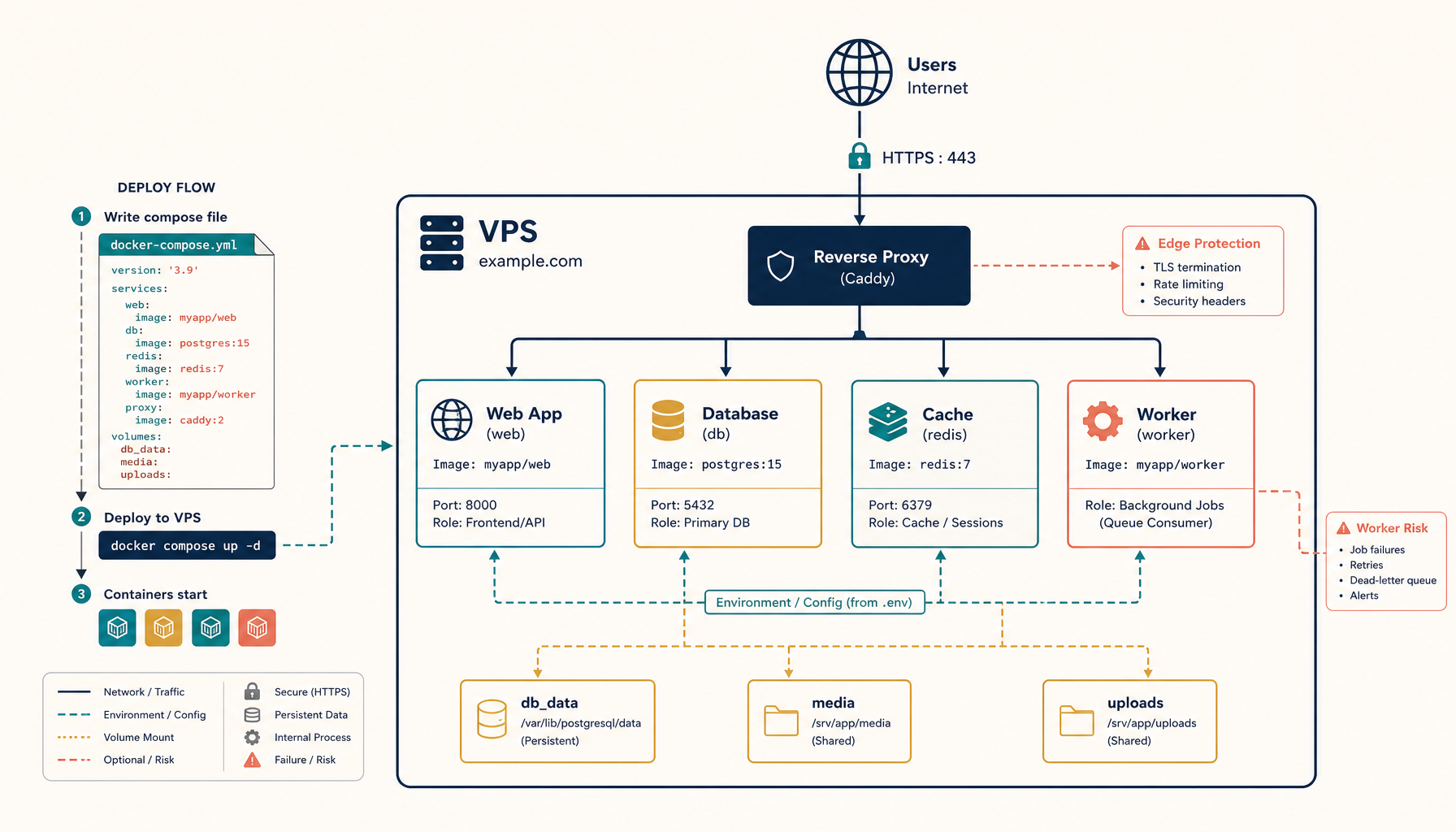
You can do this with Nginx or Traefik. I recommend Traefik when you want to host multiple apps later, because the routing rules live in labels and you avoid hand-editing Nginx blocks forever.
Create docker-compose.yml:
services:
  traefik:
    image: traefik:v2.11
    command:
      - --providers.docker=true
      - --providers.docker.exposedbydefault=false
      - --entrypoints.web.address=:80
      - --entrypoints.websecure.address=:443
      - --certificatesresolvers.letsencrypt.acme.tlschallenge=true
      - [email protected]
      - --certificatesresolvers.letsencrypt.acme.storage=/letsencrypt/acme.json
    ports:
      - 80:80
      - 443:443
    volumes:
      - /var/run/docker.sock:/var/run/docker.sock:ro
      - letsencrypt:/letsencrypt
    restart: unless-stopped

  nextjs:
    build: .
    restart: unless-stopped
    labels:
      - traefik.enable=true
      - traefik.http.routers.nextjs.rule=Host(`your-domain.com`)
      - traefik.http.routers.nextjs.entrypoints=websecure
      - traefik.http.routers.nextjs.tls=true
      - traefik.http.routers.nextjs.tls.certresolver=letsencrypt
      - traefik.http.services.nextjs.loadbalancer.server.port=3000

volumes:
  letsencrypt:
Replace:
your-domain.com[email protected]
Step 5: Deploy
Copy your app code into this folder (git clone is fine), then run:
docker compose up -d --build
If DNS is correct, Traefik should issue a certificate and your app should come up.
Step 6: Updates (your repeatable deploy loop)
Your deploy loop should be boring:
git pull
docker compose up -d --build
That is it.
If you want safer deploys, add:
- health checks
- a staging domain (or subdomain)
- a rollback strategy (keep last known-good image tag)
Troubleshooting (the errors you will actually hit)
"Certificate not issued" or HTTPS never works
- confirm the domain A record points to the VPS IP
- confirm ports 80 and 443 are open
- check Traefik logs:
docker logs -f $(docker ps --filter name=traefik -q)
"502 Bad Gateway"
This usually means your Next.js container is not listening on port 3000.
- confirm
npm startruns a server - confirm
EXPOSE 3000and Traefik service port match
Deploys are slow or memory errors happen
- build on the VPS is expensive
- if you are using a small VPS, consider building on CI and pushing images
Internal links (recommended next reads)
- Comparison:
/alternatives/vercel - Tutorial:
/self-host/supabase - ServerCompass: https://servercompass.app/tutorials/deploy-nextjs?utm_source=deploytovps&utm_medium=referral&utm_campaign=cta
From across the StoicSoft network
Hand-curated reads on the same topic from sister sites in the StoicSoft family.