How to Deploy Astro to a VPS (Static + SSR Options)
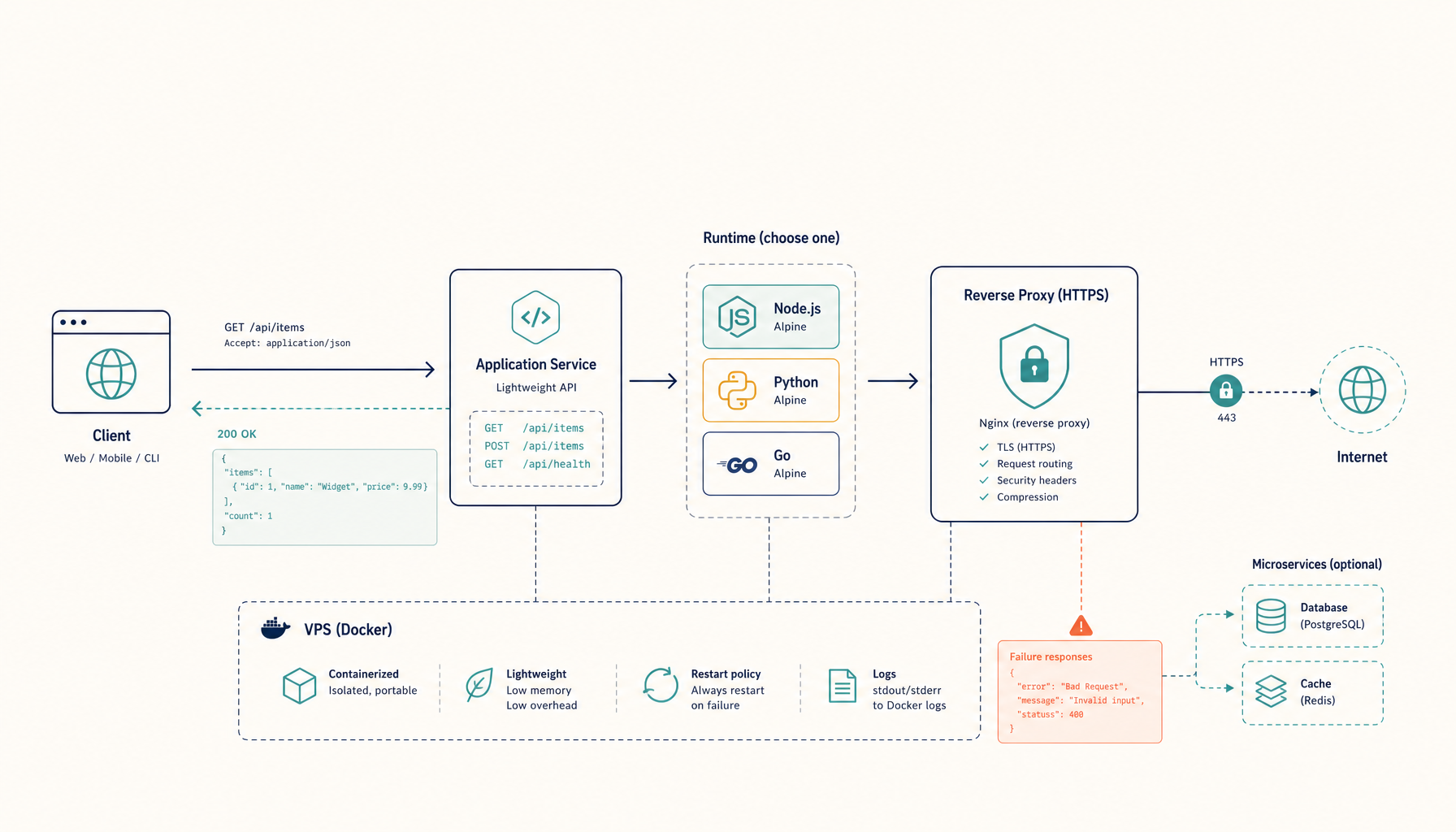
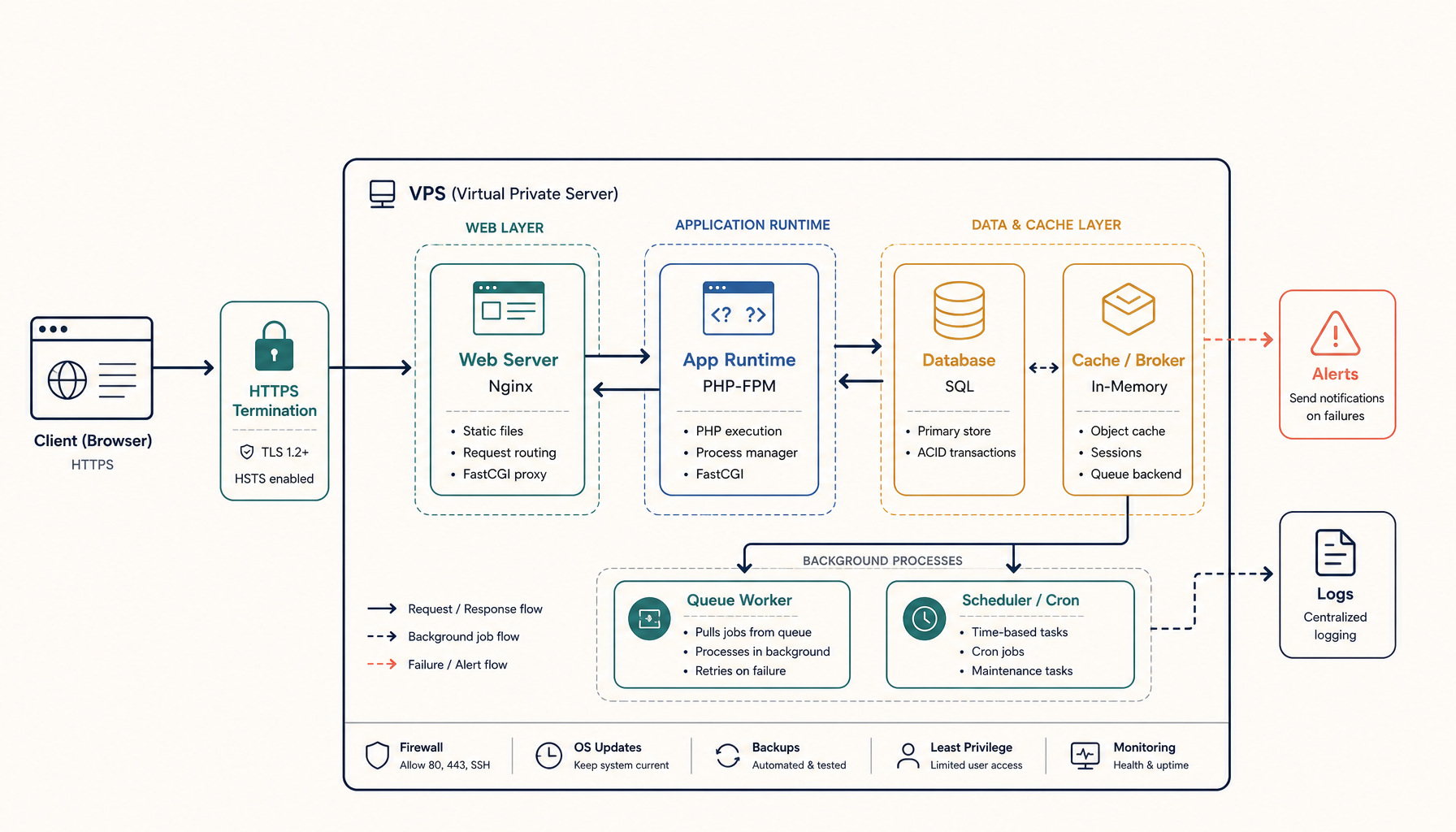
Deploy Astro sites to a VPS. Static output with Nginx, or SSR mode with Node.js. Both with HTTPS and a clean update workflow.
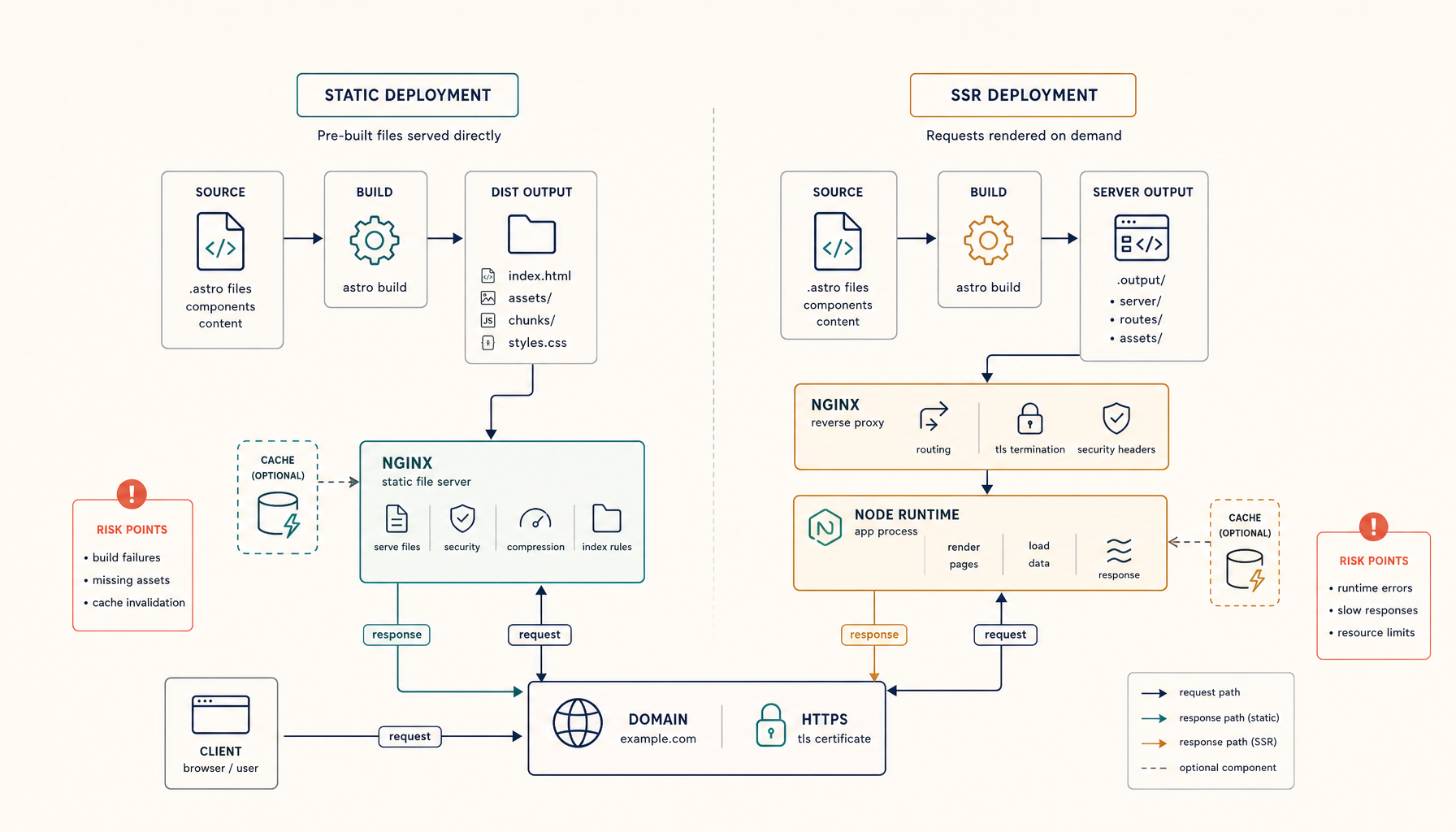
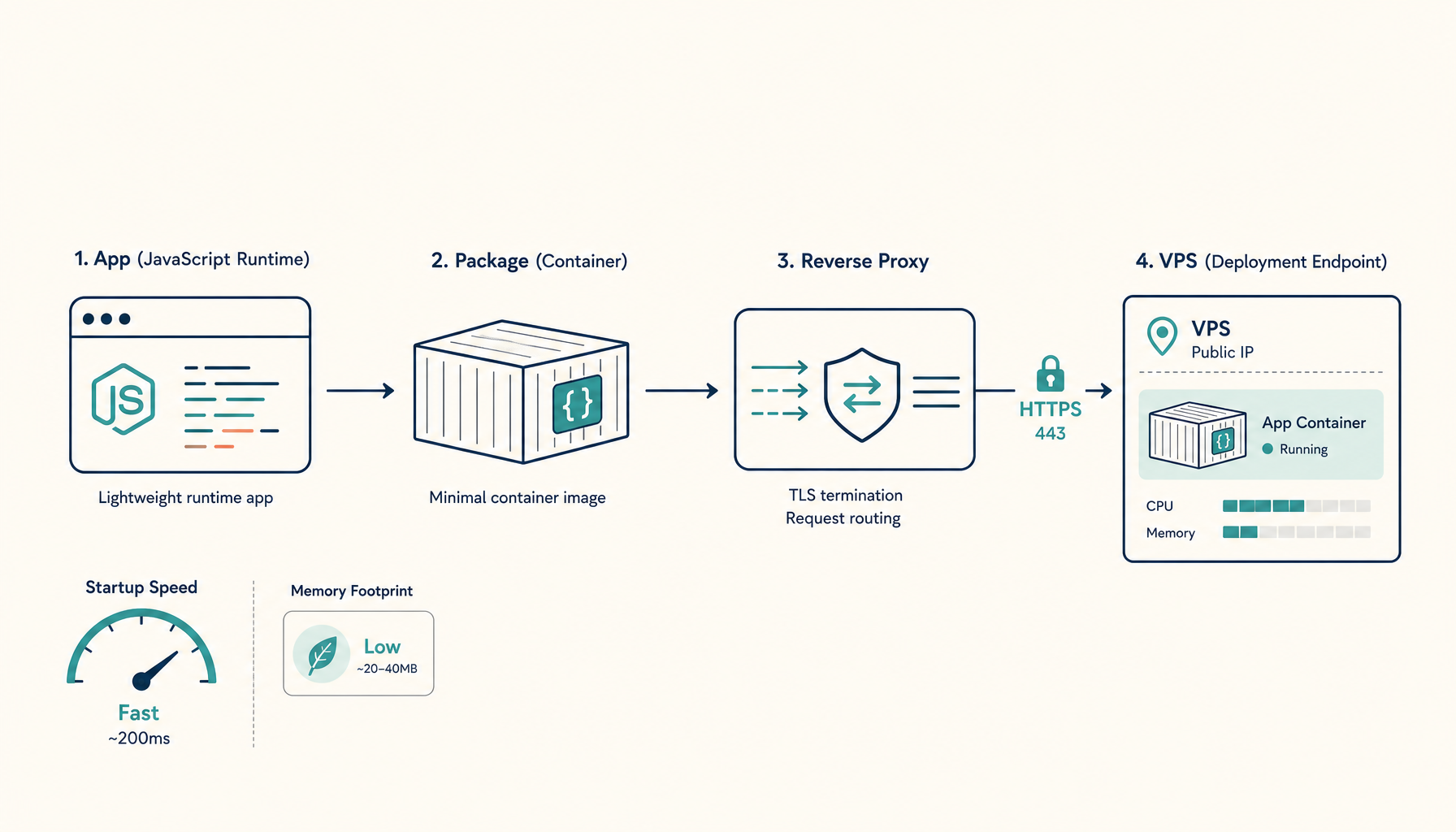
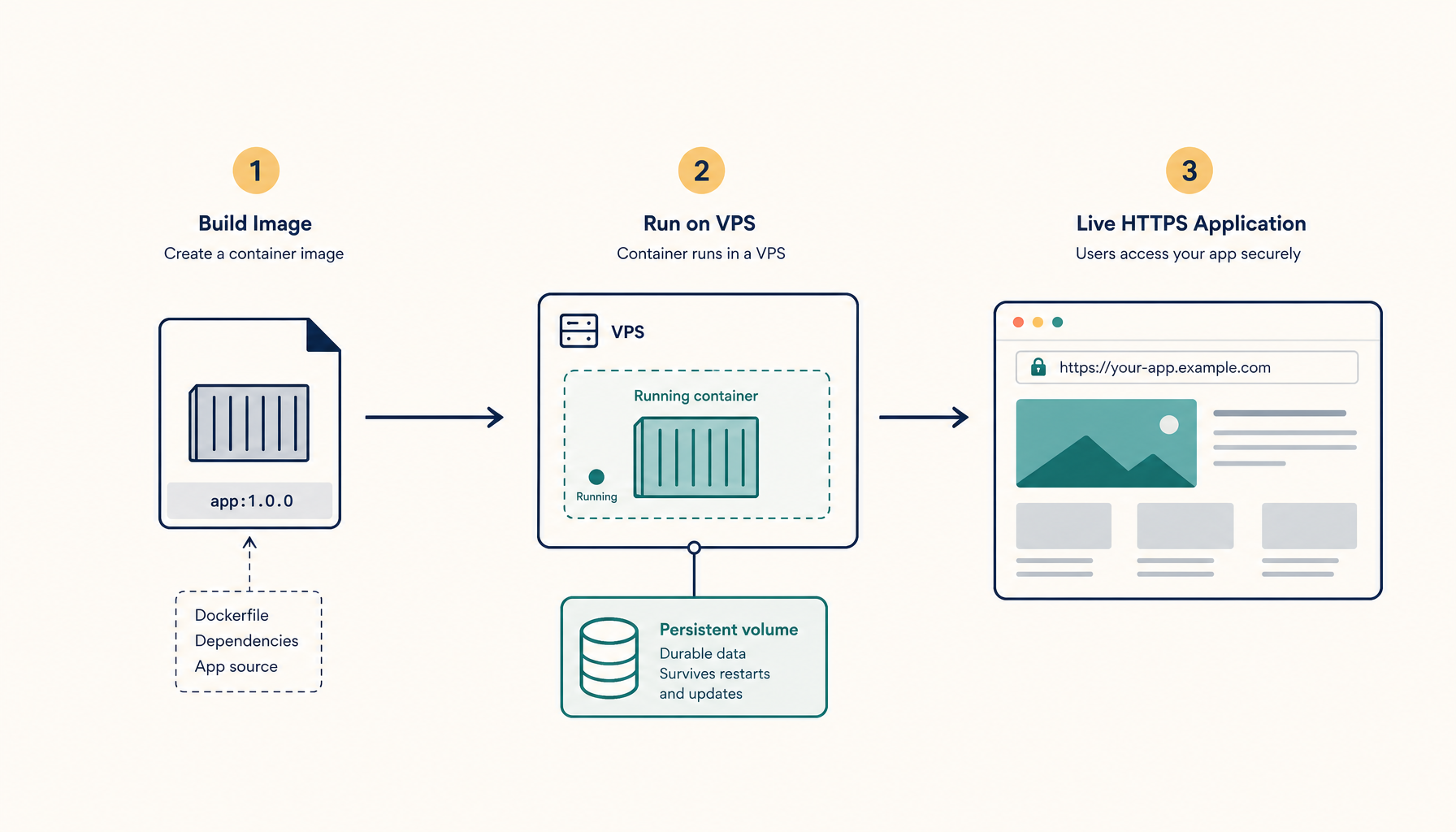
You are going to deploy an Astro site to a VPS:
- Static mode: pre-built HTML served by Nginx (fastest, simplest)
- SSR mode: Node.js server for dynamic content
- HTTPS with automatic certificates
- Cache headers optimized for each mode
Choose static for blogs, docs, and marketing sites. Choose SSR when you need authentication, personalization, or API routes.
What you will have at the end
https://your-domain.comserving your Astro site- Optimized caching for static assets
- A deploy workflow under 30 seconds
Step 1: Choose your output mode
Check your astro.config.mjs:
// Static (default) - generates HTML files
export default defineConfig({
  output: 'static',
})

// SSR - requires a Node.js server
export default defineConfig({
  output: 'server',
  adapter: node({ mode: 'standalone' }),
})

// Hybrid - static by default, opt-in SSR per page
export default defineConfig({
  output: 'hybrid',
  adapter: node({ mode: 'standalone' }),
})
For SSR/hybrid, install the Node adapter:
npx astro add node
Step 2: Create the Dockerfile
Static Mode Dockerfile
FROM node:20-alpine AS build
WORKDIR /app

COPY package*.json ./
RUN npm ci

COPY . .
RUN npm run build

FROM nginx:alpine
COPY --from=build /app/dist /usr/share/nginx/html
COPY nginx.conf /etc/nginx/conf.d/default.conf

EXPOSE 80
CMD ["nginx", "-g", "daemon off;"]
Create nginx.conf:
server {
    listen 80;
    server_name _;
    root /usr/share/nginx/html;
    index index.html;

    # Gzip compression
    gzip on;
    gzip_types text/plain text/css application/json application/javascript text/xml application/xml;

    # Cache static assets aggressively
    location /_astro/ {
        expires 1y;
        add_header Cache-Control "public, immutable";
    }

    # Cache other static files
    location ~* \.(js|css|png|jpg|jpeg|gif|ico|svg|woff|woff2)$ {
        expires 30d;
        add_header Cache-Control "public";
    }

    # SPA fallback for client-side routing
    location / {
        try_files $uri $uri/ $uri.html /index.html;
    }

    # Security headers
    add_header X-Frame-Options "SAMEORIGIN" always;
    add_header X-Content-Type-Options "nosniff" always;
}
SSR Mode Dockerfile
FROM node:20-alpine AS deps
WORKDIR /app
COPY package*.json ./
RUN npm ci

FROM node:20-alpine AS build
WORKDIR /app
COPY --from=deps /app/node_modules ./node_modules
COPY . .
RUN npm run build

FROM node:20-alpine
WORKDIR /app
ENV NODE_ENV=production
ENV HOST=0.0.0.0
ENV PORT=4321

COPY --from=build /app/dist ./dist
COPY --from=deps /app/node_modules ./node_modules
COPY package.json ./

USER node
EXPOSE 4321
CMD ["node", "./dist/server/entry.mjs"]
Step 3: Set up the VPS directory
mkdir -p ~/apps/astro-site
cd ~/apps/astro-site
git clone https://github.com/you/your-astro-site.git .
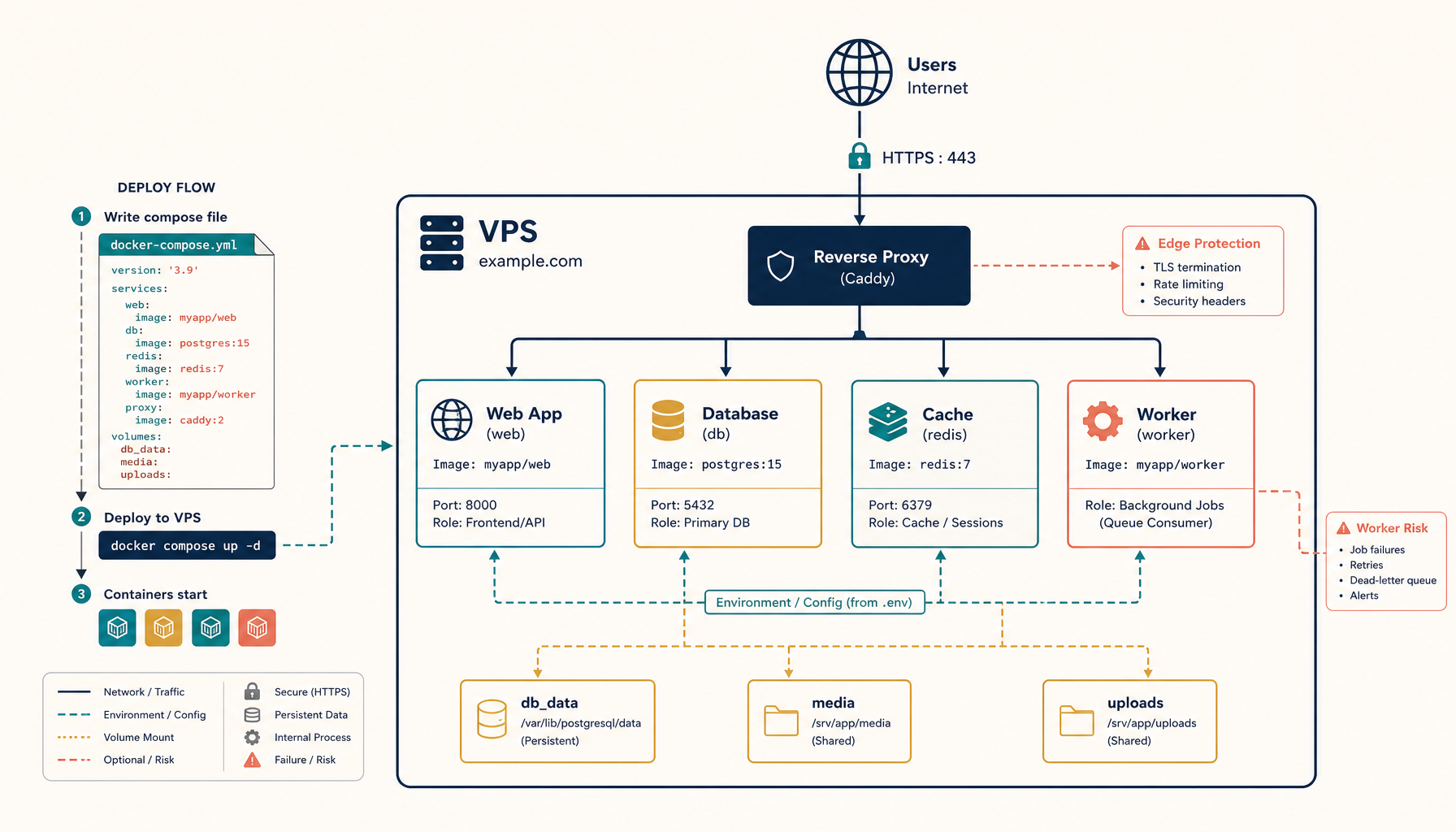
Step 4: Create docker-compose.yml
Static Mode Compose
services:
  traefik:
    image: traefik:v2.11
    command:
      - --providers.docker=true
      - --providers.docker.exposedbydefault=false
      - --entrypoints.web.address=:80
      - --entrypoints.websecure.address=:443
      - --entrypoints.web.http.redirections.entrypoint.to=websecure
      - --certificatesresolvers.letsencrypt.acme.tlschallenge=true
      - [email protected]
      - --certificatesresolvers.letsencrypt.acme.storage=/letsencrypt/acme.json
    ports:
      - 80:80
      - 443:443
    volumes:
      - /var/run/docker.sock:/var/run/docker.sock:ro
      - letsencrypt:/letsencrypt
    restart: unless-stopped

  site:
    build: .
    restart: unless-stopped
    labels:
      - traefik.enable=true
      - traefik.http.routers.site.rule=Host(`your-domain.com`)
      - traefik.http.routers.site.entrypoints=websecure
      - traefik.http.routers.site.tls=true
      - traefik.http.routers.site.tls.certresolver=letsencrypt
      - traefik.http.services.site.loadbalancer.server.port=80

volumes:
  letsencrypt:
SSR Mode Compose
services:
  traefik:
    image: traefik:v2.11
    command:
      - --providers.docker=true
      - --providers.docker.exposedbydefault=false
      - --entrypoints.web.address=:80
      - --entrypoints.websecure.address=:443
      - --entrypoints.web.http.redirections.entrypoint.to=websecure
      - --certificatesresolvers.letsencrypt.acme.tlschallenge=true
      - [email protected]
      - --certificatesresolvers.letsencrypt.acme.storage=/letsencrypt/acme.json
    ports:
      - 80:80
      - 443:443
    volumes:
      - /var/run/docker.sock:/var/run/docker.sock:ro
      - letsencrypt:/letsencrypt
    restart: unless-stopped

  site:
    build: .
    restart: unless-stopped
    environment:
      - HOST=0.0.0.0
      - PORT=4321
    labels:
      - traefik.enable=true
      - traefik.http.routers.site.rule=Host(`your-domain.com`)
      - traefik.http.routers.site.entrypoints=websecure
      - traefik.http.routers.site.tls=true
      - traefik.http.routers.site.tls.certresolver=letsencrypt
      - traefik.http.services.site.loadbalancer.server.port=4321

volumes:
  letsencrypt:
Step 5: Deploy
docker compose up -d --build
Verify deployment:
curl -I https://your-domain.com
Check cache headers are working:
curl -I https://your-domain.com/_astro/some-file.css
# Should show: Cache-Control: public, immutable
Step 6: Optimize performance
For static sites, add Traefik compression:
  site:
    build: .
    labels:
      - traefik.enable=true
      - traefik.http.routers.site.rule=Host(`your-domain.com`)
      - traefik.http.routers.site.middlewares=compress
      - traefik.http.middlewares.compress.compress=true
      # ... other labels
For SSR, add health checks:
  site:
    build: .
    healthcheck:
      test: ["CMD", "wget", "-q", "--spider", "http://localhost:4321/"]
      interval: 30s
      timeout: 10s
      retries: 3
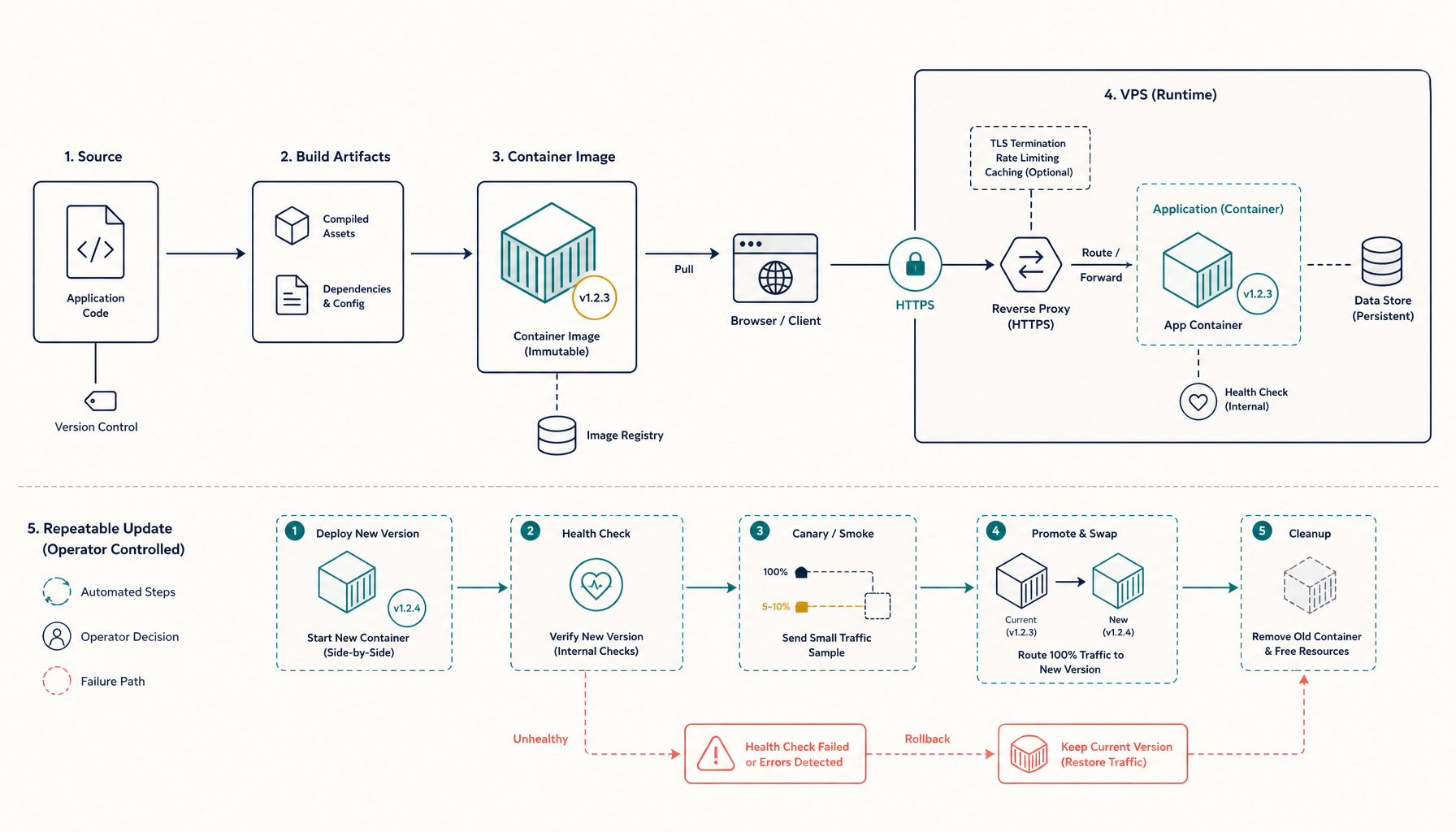
Update workflow:
git pull
docker compose up -d --build
Troubleshooting
Build fails with memory errors
Astro builds can use significant memory. On small VPS instances:
# Add swap if needed
sudo fallocate -l 2G /swapfile
sudo chmod 600 /swapfile
sudo mkswap /swapfile
sudo swapon /swapfile

# Or build locally and push the image
docker build -t your-registry/astro-site:latest .
docker push your-registry/astro-site:latest
404 errors on page refresh (static mode)
Your nginx config needs the SPA fallback:
location / {
    try_files $uri $uri/ $uri.html /index.html;
}
For Astro's default routing, $uri.html handles /about -> /about.html.
SSR server crashes on startup
Check your Astro config has the correct adapter:
import node from '@astrojs/node';

export default defineConfig({
  output: 'server',
  adapter: node({ mode: 'standalone' }),
})
And verify the entry point in your Dockerfile:
# Check what files were generated
docker compose exec site ls -la dist/server/
Environment variables not available
For SSR, pass env vars through Docker:
  site:
    build: .
    environment:
      - DATABASE_URL=${DATABASE_URL}
      - API_KEY=${API_KEY}
Or use .env file:
  site:
    build: .
    env_file:
      - .env
Internal links (recommended next reads)
- Tutorial: Deploy Next.js - React alternative
- Tutorial: Deploy Docker App - container basics
- Comparison: Vercel Alternatives
- Comparison: Netlify Alternatives
- ServerCompass: Deploy Astro sites
Related in the StoicSoft network
If you regularly stitch together PDF, image, video, or batch-file workflows like the ones above, 1FileTool is the StoicSoft network's purpose-built desktop app — 245+ local-first tools, pay-once, files never leave the device.
From across the StoicSoft network
Hand-curated reads on the same topic from sister sites in the StoicSoft family.