Template Deployments Still Need Logs, Health Checks, and Redeploy Confidence
One-click templates make self-hosting faster, but they do not remove the need for logs, verification, rollback, backups, and redeploy drills.
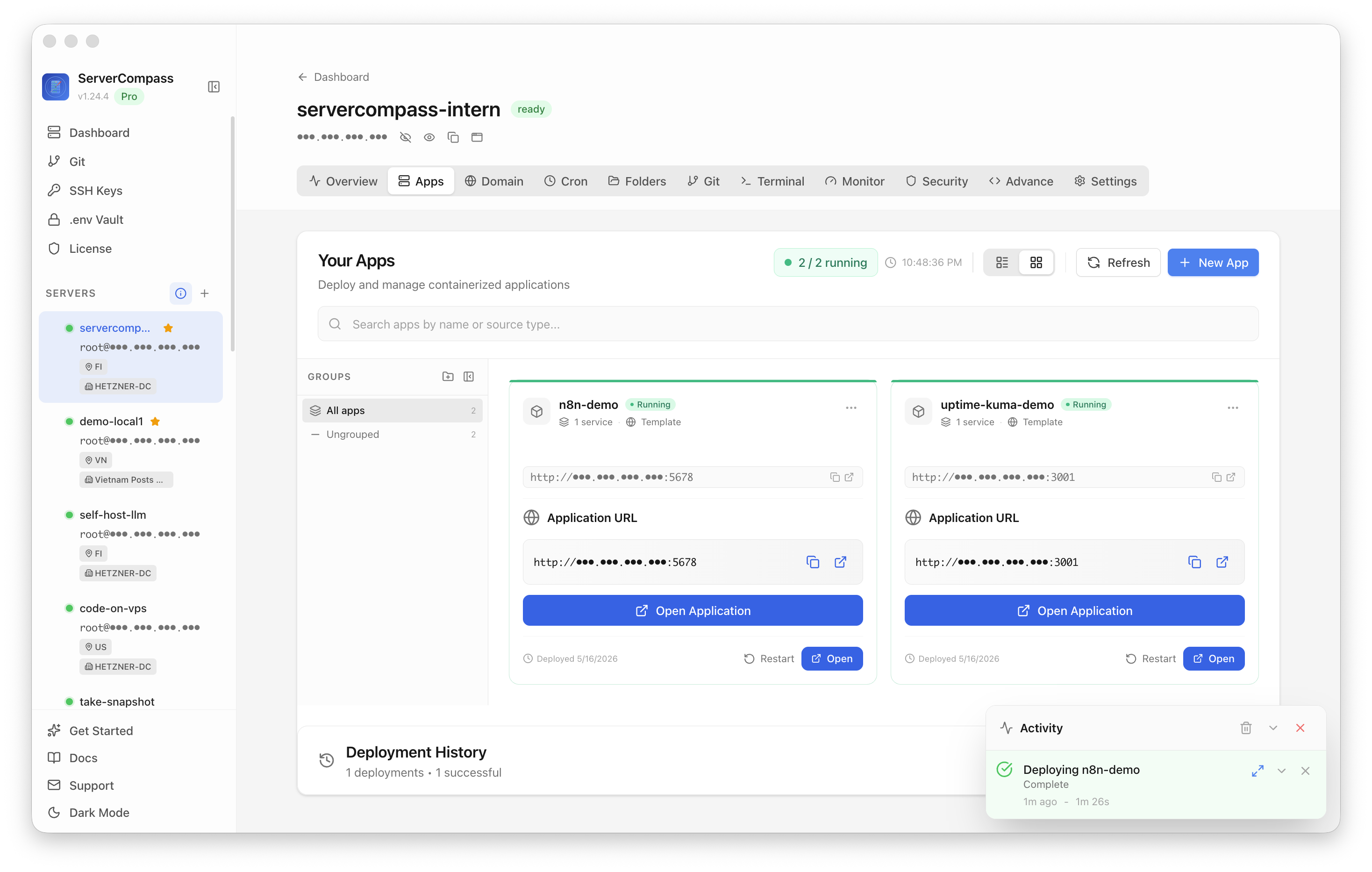
Template-based deployment tools are good for self-hosters. They turn "install this app" from a half-day of docs into a few fields and a deploy button. That is real progress.
The trap is assuming that a successful template deploy means the service is production-ready.
A template can start containers, create environment variables, attach a domain, and request a certificate. It cannot know whether your backup path is tested, whether the health check covers the important feature, whether logs are searchable after the container restarts, or whether the next redeploy will preserve the data you care about.
That gap is where many self-hosted apps fail. The first install works. The second deploy, the first incident, or the first migration is where confidence disappears.
This checklist is for the moment after the template says "deployed".
1. Confirm what the template created
Before treating the app as live, inventory the resources the template created. Do not rely on the dashboard label alone.
Check:
- containers and their names
- networks
- volumes
- exposed ports
- environment variables
- reverse proxy route
- certificate coverage
- database service, if any
- backup path, if any
On a Docker Compose based setup, start with:
docker compose ps
docker compose config
docker volume ls
docker network ls
The goal is not to memorize every generated line. The goal is to know which pieces exist and which ones you are now responsible for. If the template creates a named volume, that volume is probably where your data lives. If it creates a database container, that database needs a backup. If it exposes a port only through the reverse proxy, your health check should hit the public route and the internal service separately.
2. Make logs useful before you need them
The default logs panel in a deployment tool is enough for "why did the container fail to start?" It is usually not enough for "what changed yesterday around checkout failures?"
At minimum, answer these questions:
- Where do stdout and stderr go?
- How long are logs retained?
- Can you search by time range?
- Can you filter by service?
- Do application logs include request IDs?
- Are deploy events visible next to runtime errors?
For small stacks, you do not need a full observability platform on day one. You do need a basic log routine:
docker compose logs --since=30m app
docker compose logs --tail=200 worker
docker compose logs --since=24h proxy
If those commands are your only log viewer, write them into the runbook. If the app matters, add a lightweight log store such as Loki or a managed log drain. The key is to make the path explicit before the incident.
3. Add a real health check
A green container is not the same as a healthy app. A template often tells you the process is running. Your users care whether the app can do the job.
Use three layers:
- Process health. Is the container running?
- HTTP health. Does the public route return a valid response?
- Workflow health. Does a small critical path work?
For example:
docker inspect --format='{{.State.Health.Status}}' my-app
curl -fsS https://example.com/health
curl -fsS https://example.com/api/status
The workflow health check depends on the app. For a CMS, it might verify the admin login page and public homepage. For a queue-backed app, it might submit a harmless job and confirm it is processed. For an analytics app, it might confirm writes reach the database.
Do not make the workflow check destructive. Do make it specific enough to catch the failure your homepage will miss.
4. Tie verification to redeploys
The riskiest moment is not the first deploy. It is the next deploy.
Templates make redeploys feel safe because they hide the steps. That is exactly why you need a verification ritual:
- Record the current image or commit.
- Trigger the redeploy.
- Wait for the new container to become healthy.
- Hit the public route.
- Run the workflow check.
- Check the last 100 lines of app logs.
- Confirm the rollback path still exists.
This can be manual at first. A simple shell script is enough:
set -e
curl -fsS https://example.com/health
curl -fsS https://example.com/api/status
docker compose logs --tail=100 app
The important distinction is between "deploy completed" and "deploy verified". Treat them as separate states.
5. Prove the rollback path
Rollback is not a button. Rollback is a tested path back to a known-good state.
Before relying on a template in production, know:
- whether previous images are retained
- how to redeploy a previous version
- whether database migrations are reversible
- whether volumes are touched during deploy
- whether environment variable changes are versioned
- whether the reverse proxy route changes during rollback
If the app has database migrations, be conservative. A code rollback cannot always undo a schema change. For small self-hosted apps, the practical pattern is:
- snapshot the database before risky upgrades
- snapshot or back up named volumes
- keep the previous image tag
- run a post-rollback health check
That is less glamorous than a one-click rollback, but it is the difference between a dashboard feature and an operational plan.
6. Back up what the template hides
Templates often make storage look invisible. It is not invisible when you lose it.
For each deployed app, write down:
- database name and engine
- volume names
- upload directory
- config files outside the container
- secret storage location
- backup command
- restore command
Then run a restore drill somewhere disposable. A backup you have not restored is only a file with good intentions.
For PostgreSQL, the first version can be simple:
docker exec postgres pg_dump -U app app > app.sql
The final version should handle credentials, compression, retention, off-server storage, and restore testing. Start simple, but start.
7. Decide what gets monitored
Do not monitor everything. Monitor the things that answer "should I wake up?" and "what changed?"
For most template-deployed apps, monitor:
- public HTTP availability
- certificate expiry
- disk usage
- container restart count
- database backup freshness
- queue depth, if relevant
- last successful deploy verification
Notice the last item. A service can be up while the latest release is unverified. That state deserves attention, even if it is not a page.
The template is the beginning
One-click templates are useful because they remove repetitive installation work. They are not a substitute for operational confidence.
The responsible pattern is simple:
- Use the template to get the service running.
- Inventory what it created.
- Make logs searchable enough.
- Add health checks that cover real behavior.
- Verify every redeploy.
- Prove rollback.
- Back up and restore the data.
That is the line between "I installed an app" and "I can safely run this app." The template gives you speed. The checklist gives you confidence.
From across the StoicSoft network
Hand-curated reads on the same topic from sister sites in the StoicSoft family.
 Deploy Handbook8 min read
Best single-dashboard app health for self-hosters who aren't ready for Prometheus
Homelab and VPS users want one calm dashboard for app health — not a full observability stack. Here are the tools that hit the middle layer between SSH and Grafana.
Read on stoicvps.com/handbook Deploy Handbook7 min read
Hosted vs Self-Hosted Nextcloud for Small Teams: The Hidden Ops Costs Decide It
Managed Nextcloud's monthly fee looks expensive next to a $10 VPS — until you price the ops the host quietly does for you. A real hosted-vs-self-hosted comparison for small teams.
Read on stoicvps.com/handbook