Tailnet self-hosting still needs boring HTTPS and reverse-proxy guardrails
Getting Jellyfin reachable over Tailscale is satisfying, but the moment you add an app that requires HTTPS or a clean hostname, the cracks appear. This guide covers the certificate, routing, and observability steps that keep a tailnet setup maintainable.

Getting a service reachable over Tailscale feels like a win — and it is — but a surprising number of self-hosters hit a wall the moment their second or third app demands HTTPS, a real hostname, or root-path routing.
The gap between "it works on the tailnet IP" and "it actually works"
The classic entry point is Jellyfin: you expose it on a tailnet IP, it loads in the browser, and everything seems fine. Then you try Obsidian sync or Zotero — apps that are stricter about HTTPS — and the setup falls apart. Worse, some apps silently misbehave rather than throw a clear error, so you end up debugging why sync is failing rather than why the certificate is missing.
The subpath problem is a related trap. Caddy makes it easy to route /jellyfin to one container and /nextcloud to another, but a lot of self-hosted apps assume they live at the root (/). They generate internal links like /static/app.js instead of /jellyfin/static/app.js, and suddenly half the UI breaks. The fix — configuring a base URL or subpath prefix inside each app — is documented, but it is not obvious unless you already know to look for it. The cleaner alternative is one subdomain per service, which sidesteps the rewrite problem entirely.
A Home Assistant user captured the fragility of skipping this groundwork: a TLS certificate error appeared at work, cutting off remote access entirely, with no warning beforehand. Certificate expiry is a slow-moving problem that looks fine until it is not.
Certificate issuance is the easy part; proving it serves correctly is harder
ACME and Let's Encrypt have made certificate issuance nearly automatic. The hard part, as a DevOps write-up on HAProxy ACME noted, is proving that production is actually serving the new certificate rather than just completing the ACME challenge. There are three distinct things to verify:
- The challenge succeeded — ACME returned a certificate.
- The reverse proxy loaded the new cert — a reload or restart picked it up.
- The client sees the new cert — an external
openssl s_clientorcurl -vconfirms the correct expiry date.
Step 3 is the one most people skip. Running openssl s_client -connect yourdomain.com:443 -servername yourdomain.com 2>/dev/null | openssl x509 -noout -dates takes ten seconds and tells you exactly what the client receives, not what you think you deployed.
For Tailscale-internal services, Tailscale's built-in MagicDNS and HTTPS certificates (enabled in the admin console) handle issuance for <device>.ts.net hostnames without any ACME configuration on your part. That covers the tailnet-only case. If you want external access or vanity subdomains, you still need a standard ACME setup with a reverse proxy in front.
Structuring the reverse proxy so it stays maintainable
A common pattern that works well at small scale:
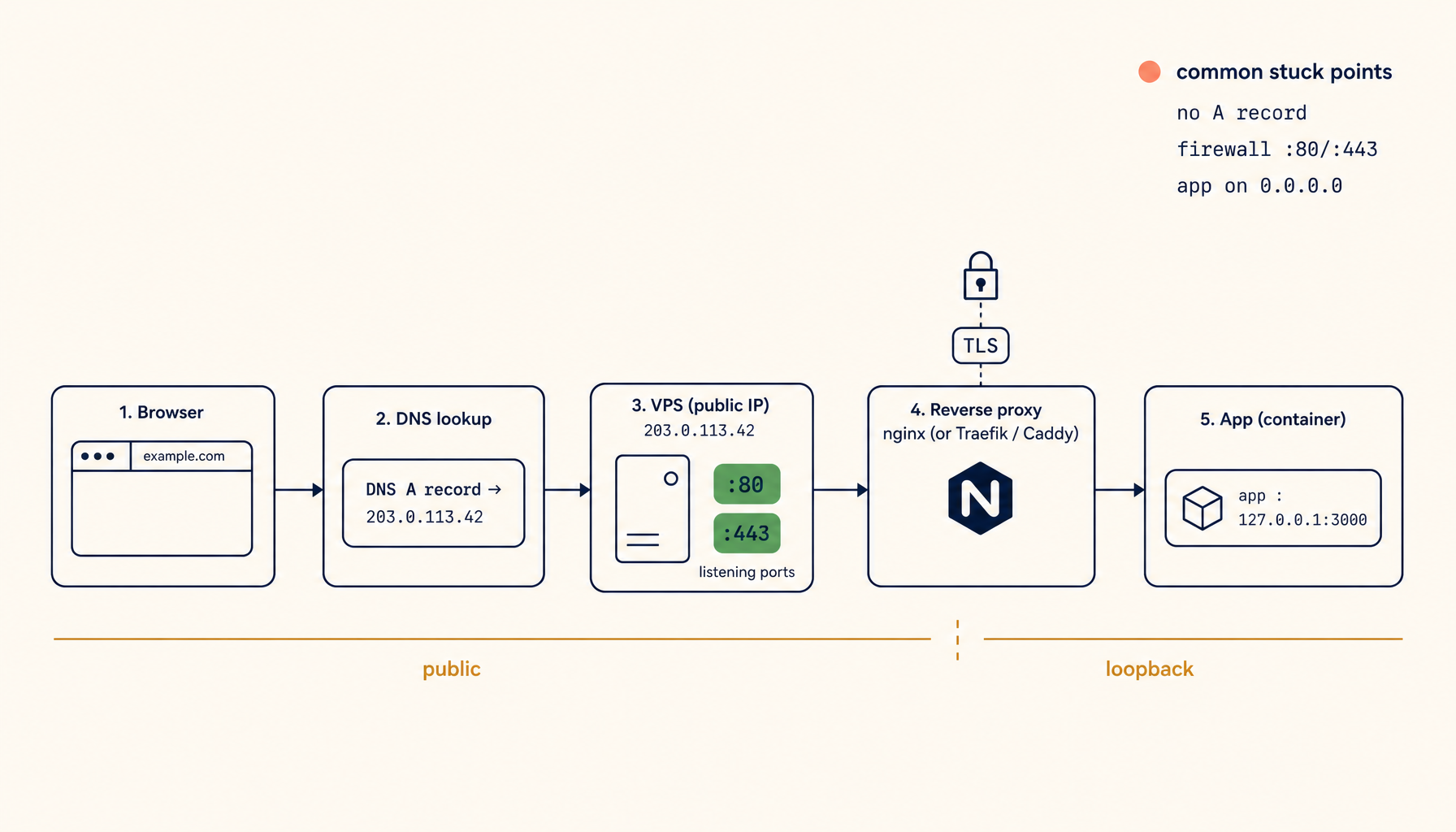
- One subdomain per app (
jellyfin.home.example.com,ha.home.example.com). - Caddy or nginx terminates TLS and proxies to
localhost:<port>or a Docker container. - Certificate renewal is automated via Certbot or Caddy's built-in ACME client.
- A monitoring check runs weekly to confirm each cert's expiry date.
The subdomain approach costs a wildcard certificate or individual certificates per subdomain, but it eliminates the subpath rewriting headache and makes each service independently movable — you can change the backend port or host without touching other services.
For HAProxy users, the ACME plugin handles renewal, but the config gets verbose quickly. The maintainability win comes from keeping each backend in its own named section and adding a comment with the cert path and renewal method. Future-you will thank present-you.
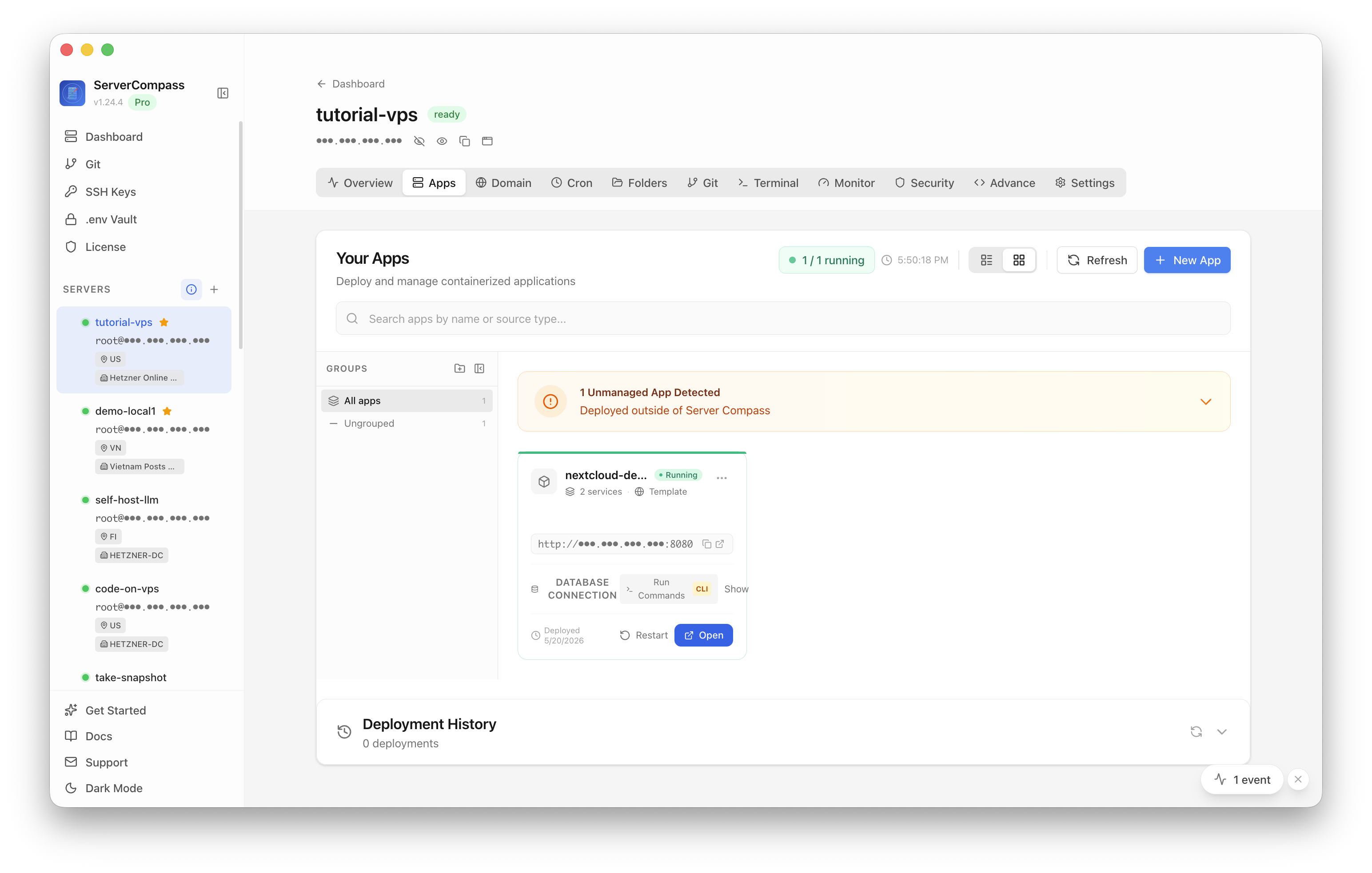
Keeping these services visible in one place also matters. ServerCompass lets you see all your running services at a glance — ports, process status, uptime — which makes it much easier to spot when something went quiet without you noticing.
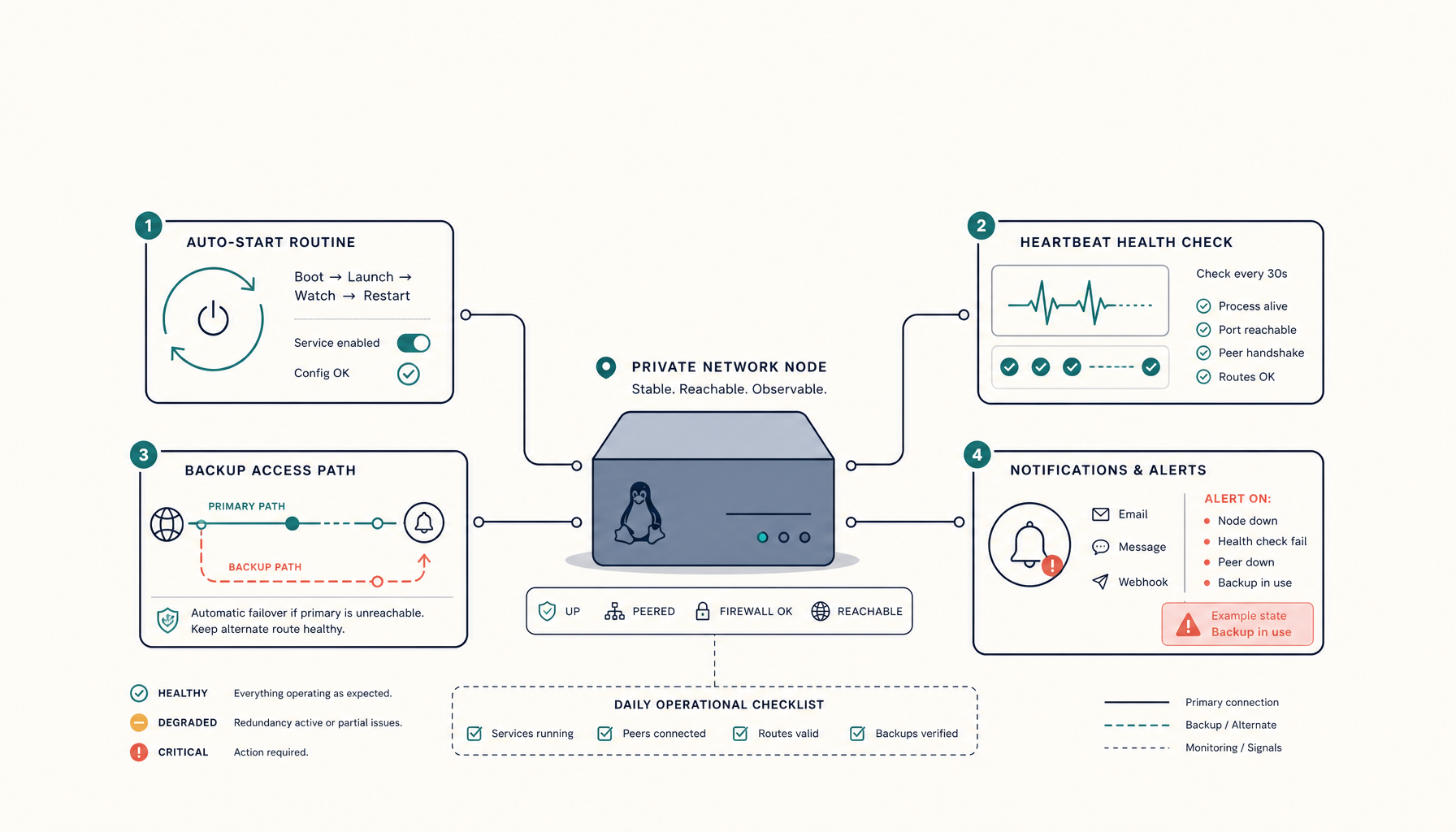
Making renewals observable before they become incidents
Certificate expiry incidents are nearly always preceded by a period where the cert was silently aging without anyone checking. The Home Assistant cutoff at work is a textbook example: the cert expired, access stopped, and the user had no warning.
Three lightweight practices prevent this:
Set a calendar reminder or cron check. Let's Encrypt certs are valid for 90 days. Certbot's auto-renew runs twice daily by default but only renews when the cert is within 30 days of expiry. A simple weekly cron that runs certbot certificates and logs the output gives you a paper trail.
Add an expiry alert to your monitoring. Tools like UptimeRobot (free tier) support SSL expiry checks. Set an alert at 21 days. This catches cases where auto-renew failed silently — often because the DNS challenge timed out or the HTTP challenge was blocked by a firewall rule change.
Test the renewal path before it matters. Certbot has a --dry-run flag: certbot renew --dry-run. Run it after any firewall or nginx config change to confirm the challenge path still works. HAProxy users can test the ACME plugin's renewal path similarly.
For Tailscale's built-in certs, the renewal is managed by Tailscale itself. You still want to verify the cert is being served correctly, but the operational burden is lower.
Checklist
- Enable MagicDNS and HTTPS certificates in the Tailscale admin console for tailnet-internal services — this handles issuance automatically for
*.ts.nethostnames. - Use one subdomain per app rather than subpaths; configure the base URL inside each app to match.
- After any ACME renewal, confirm the client sees the new cert:
openssl s_client -connect <domain>:443 -servername <domain> 2>/dev/null | openssl x509 -noout -dates. - Add a weekly cron to log
certbot certificatesoutput so you have a visible record of cert state. - Set up an external SSL expiry monitor (UptimeRobot or similar) with a 21-day alert threshold.
- Run
certbot renew --dry-runafter any nginx, Caddy, or firewall config change to confirm the challenge path still works. - Use ServerCompass to keep a live view of running services and ports, so a silently-stopped process does not go unnoticed.
- Document the cert path and renewal method in a comment next to each reverse-proxy backend block.