Home access breaks at the edge when DDNS, tailnets, reverse proxies, and cert verification drift apart
Self-hosted remote access fails in predictable ways: DDNS containers that think nothing has changed, reverse proxies that route correctly inside the network but break at the edge, and WireGuard tunnels that work from everywhere except the one location you frequent most. This guide walks through each failure pattern and the checks that catch them before they strand you.

Self-hosted remote access fails in predictable ways: DDNS containers that think nothing has changed, reverse proxies that route correctly inside the network but break at the edge, and WireGuard tunnels that work from everywhere except the one location you frequent most. The common thread is that each layer — DNS, the tunnel or tailnet, the reverse proxy, and the TLS certificate — has its own idea of the current state, and when those ideas drift apart, access breaks at the worst possible time.
DDNS containers that don't know they're wrong
DDNS clients work by comparing the IP they last set against the current public IP, then pushing an update only when those differ. The problem is that "the IP they last set" is often cached locally in a state file, not read back from the DNS provider. If you manually change the DNS record to test something, or if the provider's API returns a stale record, the client sees no delta and sends no update.
One user discovered this before a month-long trip: ddclient running in Docker believed the Cloudflare record was already correct, even after a manual DNS edit. The container's cached state and the live DNS record had diverged, but nothing in the normal log output made that obvious.
The fix is to force an update on startup and to periodically verify by querying the authoritative nameserver directly — not the local resolver, which may serve a cached answer. Add --force to the ddclient invocation or set daemon=300 with force=yes in the config. Then run a cron job that does dig @<cloudflare-ns> yourdomain.com +short and compares it against curl -s https://ifconfig.me. If they don't match, send an alert. Do not rely on the client's own log to tell you the record is stale.
Fedora, Tailscale, and the one-URL-for-all-services problem
Putting many self-hosted services behind a single public URL over a Tailscale network is a reasonable goal. The execution is where days disappear. A user on Fedora 44 spent significant time trying both Caddy and Traefik as the reverse proxy, running into the same class of problem with each: the proxy worked inside the tailnet but traffic from outside never arrived cleanly.
The pattern here is usually one of three things. First, the proxy is bound to the wrong interface — listening on 127.0.0.1 or the LAN interface, not the Tailscale IP (100.x.x.x). Second, Tailscale's subnet routing or the exit-node configuration is not advertising the routes that would make the proxy reachable. Third, Fedora's firewalld is dropping traffic on the Tailscale interface because it's assigned to the default zone instead of a trusted one.
To debug this in sequence: check tailscale status to confirm the machine is reachable and that any subnet routes are active and accepted by the admin console. Then check ss -tlnp on the proxy host to confirm it's listening on the Tailscale IP. Finally, run firewall-cmd --list-all --zone=FedoraWorkstation (or whatever zone Tailscale landed in) and confirm traffic on port 80 and 443 is accepted. Caddy's automatic HTTPS will try to provision a cert, which requires outbound port 80 and 443 to the ACME endpoint — that too can be blocked at the firewall.
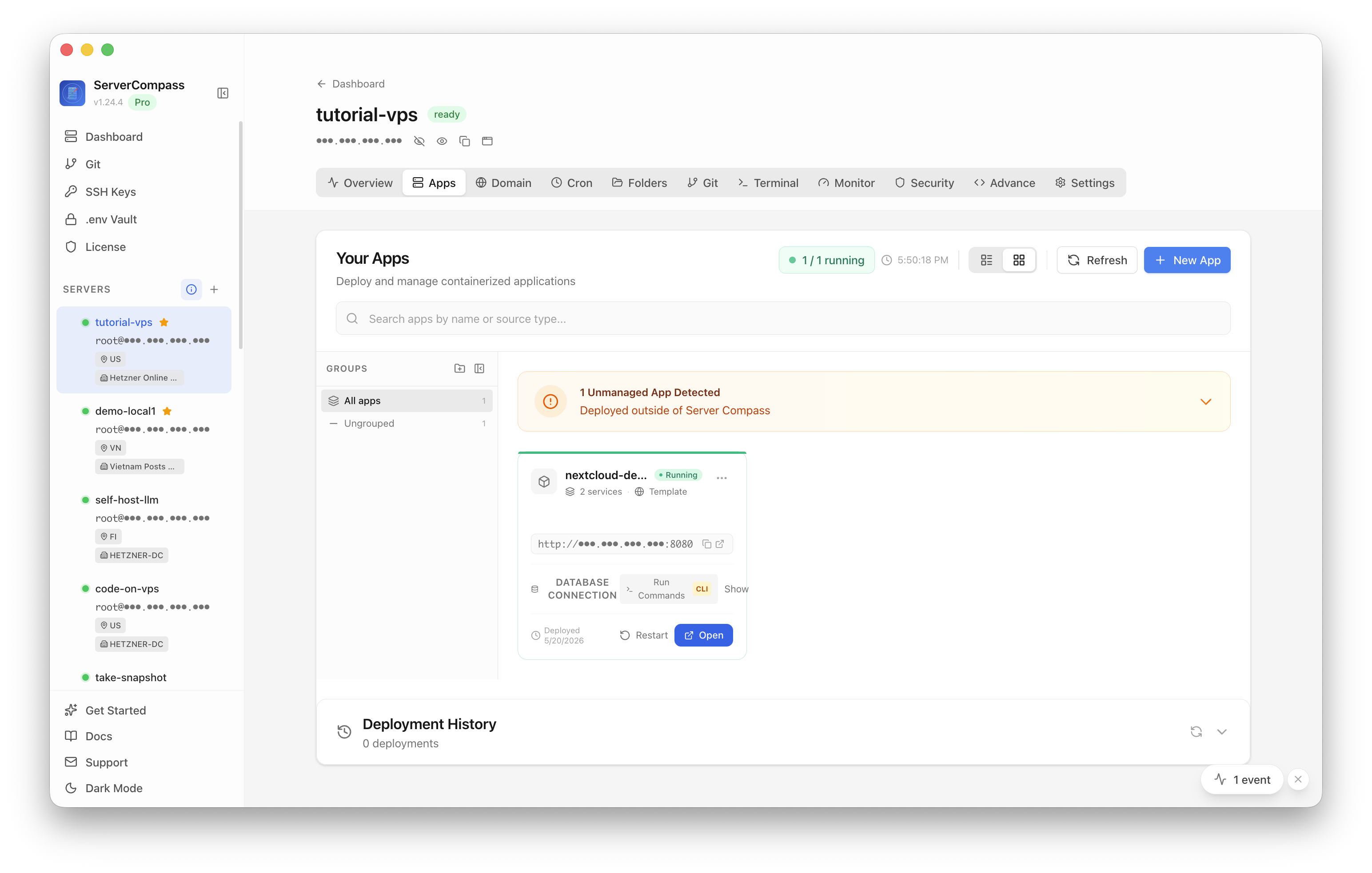
ServerCompass lets you see all your running services at a glance, which helps when you're unsure whether a proxy process is actually up or whether a port is bound where you expect it.
WireGuard unreachable from a same-ISP location
A home WireGuard setup with a static IP can be unreachable from a specific location for reasons that have nothing to do with the VPN config itself. One self-hoster found that their home network was reachable from most places but not from the ISP location they use frequently. The static IP was correct, the WireGuard config was unchanged, and handshakes succeeded from elsewhere.
Same-ISP routing is the likely culprit. Some ISPs route traffic between customers on the same network segment through internal paths that bypass normal internet routing. If that internal path drops UDP, or if the ISP applies port filtering that blocks non-HTTP traffic between residential subscribers, WireGuard packets never arrive even though the endpoint is technically reachable.
Three checks worth running from the affected location: traceroute -U -p 51820 <your-home-ip> to see where UDP packets die, curl -sI https://yourdomain.com to verify TCP works, and a quick wg show on the home server to see whether handshakes are being attempted at all. If traceroute shows the path staying inside the ISP's AS and dying there, the fix is usually to move WireGuard to port 443 (which many ISPs treat differently than high-numbered UDP ports) or to route the traffic through a small VPS that sits outside the ISP's network — a $5/month relay is cheaper than the debugging time.
The cert verification problem nobody talks about
HAProxy with ACME is a well-documented setup, but one DevOps practitioner surfaced an underappreciated problem: completing the ACME challenge is easy; proving that the live certificate was actually replaced in production is hard.
ACME clients report success when the certificate is issued and written to disk. They do not verify that HAProxy reloaded, that the reload read the correct file path, or that intermediate proxy layers (CDN, upstream load balancer) are not still serving the old certificate. A successful renewal and a running service can coexist with clients still seeing the expired cert for hours.
The right check is to query the certificate the server is actually presenting, not the one on disk. openssl s_client -connect yourdomain.com:443 -servername yourdomain.com </dev/null 2>/dev/null | openssl x509 -noout -dates returns the expiry of the certificate the server handed to the TLS handshake. Run this immediately after a renewal and compare it against the expected notAfter date. If they differ, HAProxy did not reload cleanly. Check haproxy -c -f /etc/haproxy/haproxy.cfg for config errors that silently prevent reload, and confirm the cert file path in the HAProxy config matches where the ACME client wrote the renewed certificate.
For CDN-fronted setups, query the origin directly by bypassing the CDN (curl -sI --resolve yourdomain.com:443:<origin-ip> https://yourdomain.com) to separate a CDN caching issue from an origin problem.
Checklist
- Verify DDNS accuracy by querying the authoritative nameserver directly (
dig @<ns> yourdomain.com +short) and comparing againstcurl -s https://ifconfig.me— do not trust the client's cached state. - Force a DDNS update on container startup and add a cron job that alerts when the DNS record and actual IP diverge.
- When a Tailscale reverse proxy is reachable inside the tailnet but not from outside, check interface binding (
ss -tlnp), subnet route advertisement in the Tailscale admin console, and firewalld zone assignments. - On Fedora, ensure the Tailscale interface is in a zone that permits inbound traffic on ports 80 and 443.
- For WireGuard unreachable from one ISP, run
traceroute -U -p 51820from the affected location to identify whether traffic is dying inside the provider's AS; consider moving to port 443 or using a VPS relay. - After any TLS certificate renewal, verify the live certificate using
openssl s_clientagainst the actual hostname — do not rely on the ACME client's success message alone. - For HAProxy, confirm the process reloaded successfully after cert renewal and that the cert file path in the config matches where the ACME client wrote the new certificate.
- Use ServerCompass to get a single-pane view of running services and open ports so you can confirm process state and interface binding without jumping between multiple SSH sessions.