Shared-hosting lockouts make beginner web projects need recoverable deployment exits
Beginners and agencies on cheap or contractor-managed hosting regularly lose access to their own data, backups, and admin rights — often at the worst moment. Here is how to structure your deployments so a lockout is an inconvenience, not a catastrophe.

Beginners and agencies on cheap or contractor-managed hosting regularly lose access to their own data, backups, and admin rights — often at the worst moment, right before a deadline or client review.
What actually happens during a shared-hosting lockout
The pattern shows up repeatedly in beginner webdev and WordPress forums. A student developer signs up with a budget shared-hosting provider, their site starts getting traffic, and the host throttles CPU, restricts the account, and closes support tickets without explanation. The account is effectively frozen. The host demands a signed apology letter before restoring access. Refunds are refused and data access is withheld.
A separate but related thread describes a WordPress agency whose client had hired a shady SEO vendor. When the client relationship soured, the vendor refused to hand over backups or admin credentials. The host had to intervene, and domain ownership turned out to be the only reliable recovery lever the client held.
These are not freak accidents. They are predictable failure modes of setups where someone else controls the exit.
Why cheap shared hosting makes the exit harder
Shared hosting is appealing for beginners because it abstracts away the server. You get a control panel, one-click installers, and a low monthly bill. The tradeoff is that the host owns the environment. When things go wrong — account suspension, billing dispute, host going under — you are a tenant with no keys.
The lockout scenarios above share a structural problem: the person who built the project did not own a clean copy of the data. Backups existed, but they were inside the host's infrastructure. The domain was managed by a third party. Admin credentials were held by a contractor. Any one of those missing pieces was enough to create a weeks-long recovery process.
VPS hosting does not automatically solve this, but it shifts control. You own the operating system layer, the file system, and the network config. If a provider treats you badly, you can snapshot the volume (on most cloud providers), provision a new server, restore the snapshot, and update DNS. That path requires preparation, but at least the path exists.
Building a recoverable deployment from the start
The goal is to make every deployment trivially re-deployable from outside the current host. That means a few concrete habits:
Own your domain registration separately from your hosting. The WordPress agency case above was ultimately resolved because the client still controlled the domain. That one fact gave them leverage and a recovery path. Use a registrar that you pay directly — Cloudflare Registrar, Namecheap, or similar — and never hand over registrar credentials to a contractor.
Keep your code in a repository you control. A GitHub or GitLab repo that you own means you can re-deploy to any server in minutes. If the host disappears or locks you out, your codebase is not gone with it. For WordPress sites specifically, track your theme and plugin customizations in version control even if the host offers a GUI backup tool.
Run scheduled database exports off-site. A cron job that dumps your database and pushes the file to object storage (Backblaze B2, AWS S3, Hetzner Object Storage) gives you a copy that survives whatever happens on the server. For WordPress, plugins like UpdraftPlus can automate this to an external bucket. On a VPS, a simple pg_dump or mysqldump piped to rclone does the same thing.
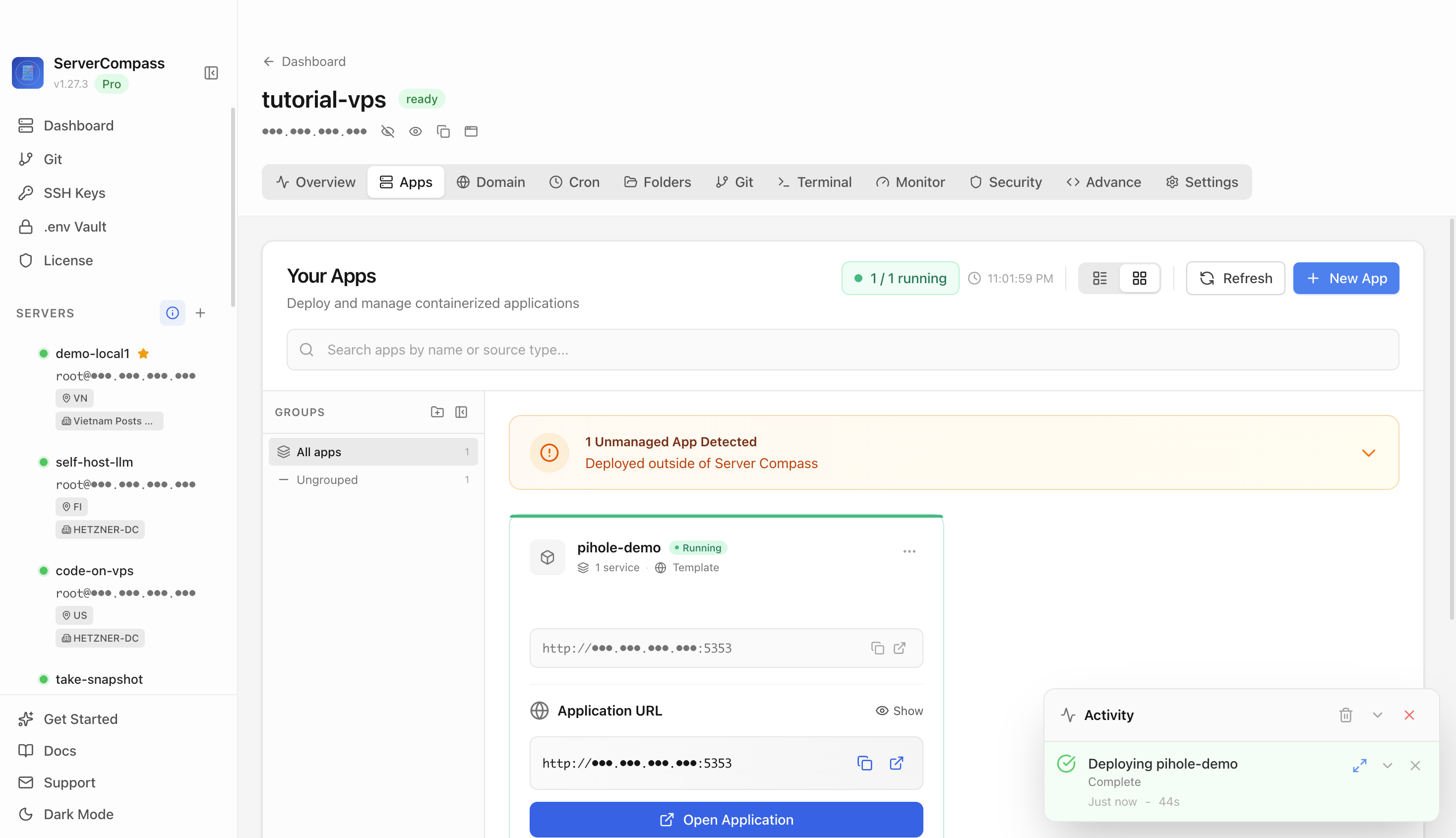
Document your stack so you can reproduce it. A single README that lists your Node version, environment variables (names, not values), database engine, and the commands to start each service is worth hours of recovery time. Tools like ServerCompass let you see all your running services at a glance, which makes auditing what you actually have deployed much faster than logging in and running ps aux from memory.
Test the restore path before you need it. Spin up a cheap VPS, restore your latest backup, and confirm the site comes up. If it does not, you have found the gap while it is still a drill and not a crisis.
When a contractor or vendor holds your credentials
The WordPress agency scenario highlights a power dynamic that catches clients off guard. An SEO vendor or developer with admin access can become a de facto gatekeeper if the engagement ends badly. Prevention is straightforward but easy to skip when the project feels friendly:
- Create a separate admin account for any contractor. Never give them your primary admin credentials.
- Set a calendar reminder to rotate or remove contractor access when an engagement ends.
- For WordPress specifically, keep a local export of the database taken by you (not the contractor) at least monthly.
- Register the domain in your own name, with your own email, at a registrar you control.
If you are already locked out, the host's abuse or trust and safety team is usually the first call. Domain ownership is your legal leverage if the dispute escalates. A registrar transfer can sometimes be initiated even without the current admin's cooperation if you can prove registrant identity.
Checklist
- Register your domain at a registrar you control directly, not through a hosting package or contractor
- Store all code in a version-controlled repository (GitHub, GitLab) that you own
- Schedule automated database exports to off-site object storage (Backblaze, S3, Hetzner)
- Use a separate admin account for contractors and remove access at the end of each engagement
- Keep a local copy of your database export taken by you, not a third party
- Document your stack (services, ports, env var names, start commands) in a README or runbook
- Use a tool like ServerCompass to audit running services so your documentation stays accurate
- Test your restore process on a fresh VPS before an actual emergency forces you to