NAS app installs keep failing where GUI catalogs meet Docker permissions, datasets, and media shares
NAS GUI catalogs make app deployment look straightforward, but storage permissions, dataset ownership, and generated Docker configs regularly cause installs to fail silently or break mid-way. This guide walks through the real failure modes seen with TrueNAS Scale, Unraid, Jellyfin, Nextcloud, and Samba — and how to work around them.

NAS app catalogs promise one-click installs, but behind every clean progress bar is a tangle of dataset permissions, Docker volume mounts, and UID/GID mappings that the UI never fully exposes.
Why the GUI hides the hard parts
GUI-driven app stores on TrueNAS Scale, Unraid, and similar platforms are built to abstract away container configuration. You pick an app, fill in a few fields, hit install — and the system generates a Docker Compose or Helm chart behind the scenes. That abstraction works well for simple stateless apps. It breaks down the moment an app needs to read or write to a dataset that was created with a different owner, or when the generated config pins a UID that doesn't match the one your media files were written with.
The core problem is that the UI shows you success states, not error states. A Jellyfin install can appear to finish and even show a running container while the app itself is logging permission denied errors on every scan attempt. You only find out when you open the web UI and see an empty library, or when you check the container logs directly.
The TrueNAS Scale / Nextcloud permission spiral
A pattern that comes up repeatedly in TrueNAS threads: a user gets one app working — say, Jellyfin — only after a full teardown. That means deleting the app, removing the users and groups the app created, deleting the dataset, recreating the dataset with explicit ACL entries, and reinstalling from scratch. The working state is fragile. Then they try Nextcloud, and the same dataset-permission logic breaks again during image pull or app creation.
This happens because TrueNAS Scale apps (whether via the official catalog or TrueCharts) may create their own internal users and groups with specific numeric IDs. If the dataset's ACL doesn't include those IDs — or if a previous failed install left behind a partial user entry — the new container gets a permission mismatch before it even runs its entrypoint.
The fix is methodical:
- Before reinstalling, verify which UID/GID the app expects. Most chart documentation lists these; TrueCharts entries usually note them in the "storage" section.
- Delete any leftover users/groups from prior install attempts (
System > Users,System > Groups). - Set the dataset ACL explicitly: owner user + group matching the app's expected IDs, with recursive apply.
- Only then reinstall the app.
Nextcloud has an additional wrinkle: it runs its own database (MariaDB or PostgreSQL) as a sidecar, and the database volume needs write access under a different UID than the PHP-FPM process. If you're seeing Nextcloud fail during "image/app creation" rather than at runtime, it's usually the database volume that's blocked, not the web root.
Rebuilding on Unraid after a NAS failure
Unraid's Docker layer is more transparent than TrueNAS's catalog system — you define containers manually or via Community Applications templates, and the volume mappings are visible in the UI. But starting from scratch after a dead Synology or failed array introduces its own set of problems.
When rebuilding a stack that includes Immich, PaperlessNGX, and Plex or Jellyfin, the order of operations matters:
- Data recovery first. Before launching any new container, mount the old drives read-only and copy your media and database files to the new array. Immich and PaperlessNGX both store metadata in Postgres; if you launch fresh containers before restoring those databases, you'll lose all your tags, albums, and document index.
- Set consistent UID/GID across the stack. Pick one user (usually
nobody/userson Unraid, UID 99 / GID 100) and apply it uniformly across all media-facing containers. Mixing UIDs between Jellyfin and Plex on the same share causes read errors when both try to update metadata. - Don't share config volumes between apps. Community Applications templates sometimes suggest reusing
/mnt/user/appdata/paths. Give each app its own subdirectory with no overlap.
For the Docker experimentation side of an Unraid rebuild, keeping experimental containers on a separate VLAN or at minimum a separate bridge network prevents them from interfering with production media services while you test.
Samba: bare-metal daemon vs. container vs. UI
The "which surface should I use to manage Samba" question comes up whenever shares start dropping connections. The short answer: bare-metal daemon if you need stable long-running shares; container only if portability matters more than reliability.
Samba running as a system service (smbd/nmbd) has direct access to the kernel's VFS layer and handles reconnection and locking better than a containerized Samba instance bridging through a Docker network. Containerized Samba adds a translation layer for every file operation, and if the container's bridge network hiccups, all connected clients see a disconnect — even if the underlying files are fine.
NAS GUIs that offer Samba management (TrueNAS's SMB service, Unraid's Shares UI) are thin wrappers over the same system daemon. Using them is fine, but when shares start dropping:
- Check
smb.confforkeepaliveanddeadtimesettings — defaults are conservative. - Look at kernel logs for NFS/CIFS buffer errors, not just Samba logs.
- If you're behind a firewall, confirm ports 445 and 139 aren't being rate-limited.
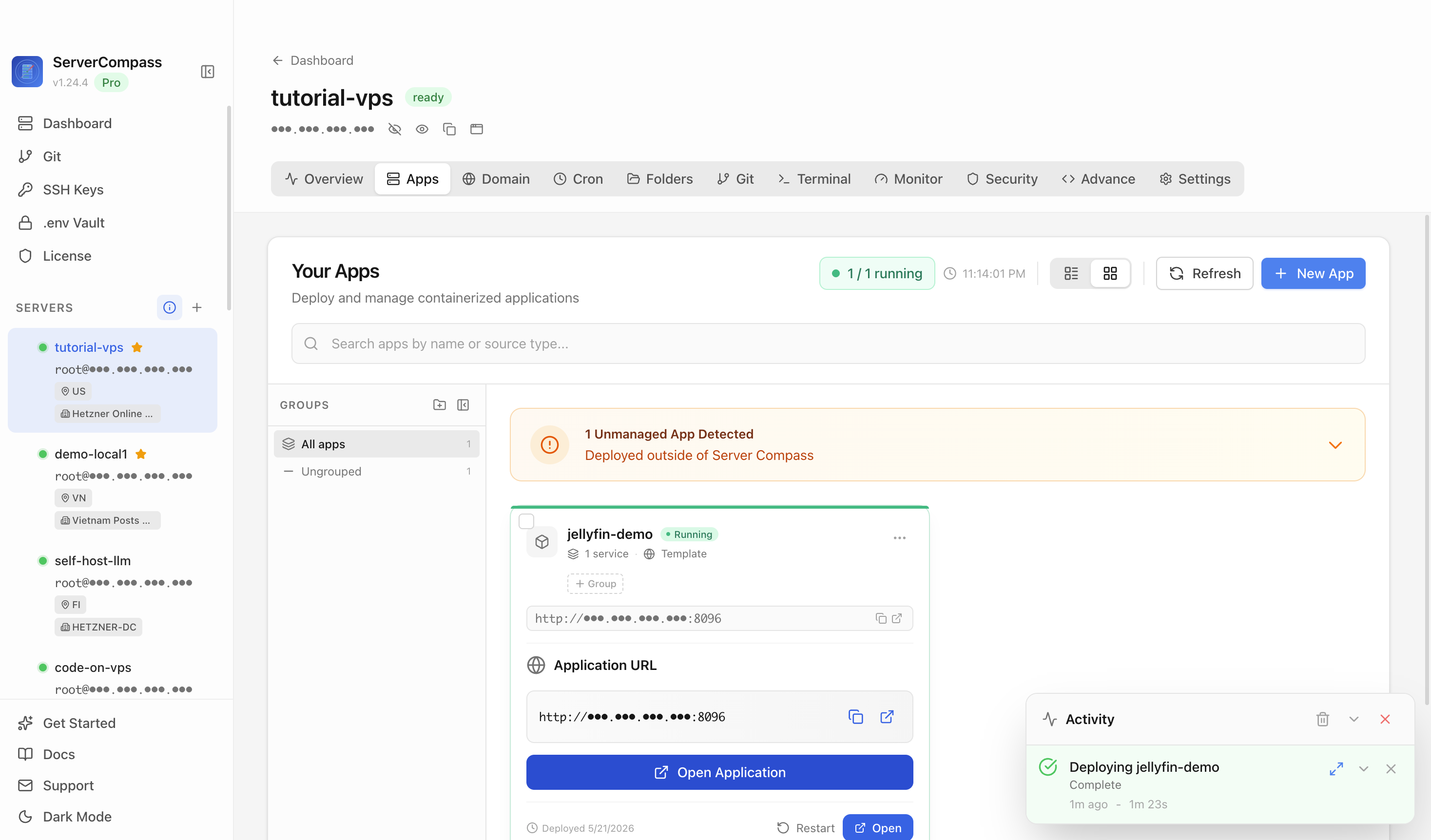
A tool like ServerCompass lets you see all your running services at a glance, including which containers and daemons are actually up — useful for distinguishing "Samba is down" from "the container hosting Samba is down" without SSH-ing into every machine.
Checklist
- Before reinstalling any NAS app, delete leftover users, groups, and datasets from prior failed attempts
- Check the app's expected UID/GID in chart documentation before setting dataset ACLs
- Apply ACLs recursively on the dataset and confirm ownership with
statorls -labefore launching the container - For Nextcloud on TrueNAS, treat the database sidecar volume as a separate permission target from the web root
- On Unraid rebuilds, restore Postgres databases (Immich, PaperlessNGX) before starting fresh containers
- Use a single consistent UID/GID across all media-facing containers on the same share
- Prefer bare-metal Samba daemon over containerized for stable long-running shares
- Use a service dashboard (e.g., ServerCompass) to distinguish container-level from daemon-level failures before digging into logs